I Never Wanted a Web App
I've been building Kanora for a while now, primarily as a macOS-first music player for people who still buy CDs, rip FLACs, and want their music collection to remain theirs rather than rented from a streaming platform.
For most of its life, Kanora was intentionally simple in concept. Your music lived on your Mac, the Mac was the player, and that was largely the end of the story. There was no cloud backend, no subscription model, no web interface, and no accounts system because I never really wanted any of those things.
What I did want, though, was something closer to the feeling of a proper home music system. I like the idea of systems such as Sonos and HomeKit, but I've become increasingly uncomfortable with how dependent modern home technology is on large companies continuing to support products, maintain services, and preserve compatibility. Local music libraries feel especially neglected now. Everything assumes streaming subscriptions, cloud identity, and somebody else's infrastructure sitting in the middle of your own home setup.
Kanora gradually became my attempt to move in the opposite direction. I wanted my own library, my own hardware, and my own system, running on equipment I controlled and could continue using for as long as I wanted.
The problem was never really the technical side. I know how to build this kind of software. The difficult part was finding enough uninterrupted time to make meaningful progress around work, family life, and everything else competing for attention. A lot of ideas stayed in notebooks or half-finished branches simply because the activation energy to start them properly was too high.
That changed once AI tooling became good enough to fit naturally into the development workflow.
Not in the sense of generating entire applications automatically, because that still isn't reality, but in the sense that the friction around experimentation dropped dramatically. I could spend an evening refining architecture or interaction design instead of burning most of that time wiring together scaffolding and boilerplate. Iteration became quicker, and ideas that previously felt too large for a side project started becoming practical again.
That shift is probably the real reason this story exists at all.
The Developer API Wasn't the Original Plan
The first step toward what eventually became the Developer API started in late 2025, and initially it had nothing to do with Raspberry Pis or web players.
I was experimenting with DLNA support and remote playback. I had devices on my network that could technically receive audio streams, but Kanora had no external interface at all. At roughly the same time, I was thinking about an iPhone companion app and eventually a Watch app, which immediately raised the question of how these clients should communicate with the Mac application.
The early work was mostly planning and systems design:
- Mapping the Core Data model into an API surface
- Designing playback and queue endpoints
- Supporting HTTP Range requests for streaming and seeking
- Handling pairing and authentication
- Establishing a clean separation between the host application and remote clients
At that stage, it was simply "the API." The name Developer API arrived later, once it became clear that I wasn't really building an integration layer for a single iOS app. I was building a consistent interface that could support multiple companion experiences cleanly and predictably.
The iPhone app could use it.
The Watch app could use it.
A future tvOS app could use it.
A lightweight room controller could use it.
That consistency became increasingly valuable as the project expanded because it meant each new client stopped feeling like an entirely separate application architecture. Instead, each client became another view onto the same system, using the same pairing flow, playback state, library access, and device communication model.
The Mac remained the canonical host, while everything else became a companion to it.
Read more about the Developer API
The Watch App Changed the Direction
The watchOS work ended up being more important architecturally than I originally expected.
Initially, the idea was fairly modest: basic remote playback control from the Watch. Once the plumbing existed properly, though, the architecture started opening up in interesting ways. Playback state propagation, session management, and download handling all became reusable concepts rather than one-off implementations.
The Watch app eventually gained:
- Library browsing
- Now Playing state
- Playback control
- Offline downloads to the Watch itself
That last part mattered more than I expected because it transformed the Watch from being merely a remote control into a genuinely independent playback client.
More importantly, all of it was operating through the same Developer API foundations. By that point, the architecture was no longer just enabling a single feature. It was allowing the entire system to expand cleanly and consistently without needing to reinvent the communication layer every time a new idea appeared.
Then I Found an Old Raspberry Pi
The Raspberry Pi part started almost accidentally.
I found an old Raspberry Pi 2 Model B in a drawer. Not a Pi 4 or Pi 5, but a Pi 2 from 2015 with 1GB of RAM and a 900MHz ARM processor that had absolutely no business still being useful in 2026.
Around the same time, I saw a cheap 7-inch touch screen on eBay for about £29 and started wondering whether Kanora could support a small dedicated room controller. Not a full web version of the application, because I still had no interest in turning Kanora into a browser-first product, but a focused touch-screen interface designed specifically for simple playback and browsing.
I ordered the screen on 7 May 2026. It arrived on 11 May 2026. By the evening of 11 May, I had a working kiosk mounted on the Pi.
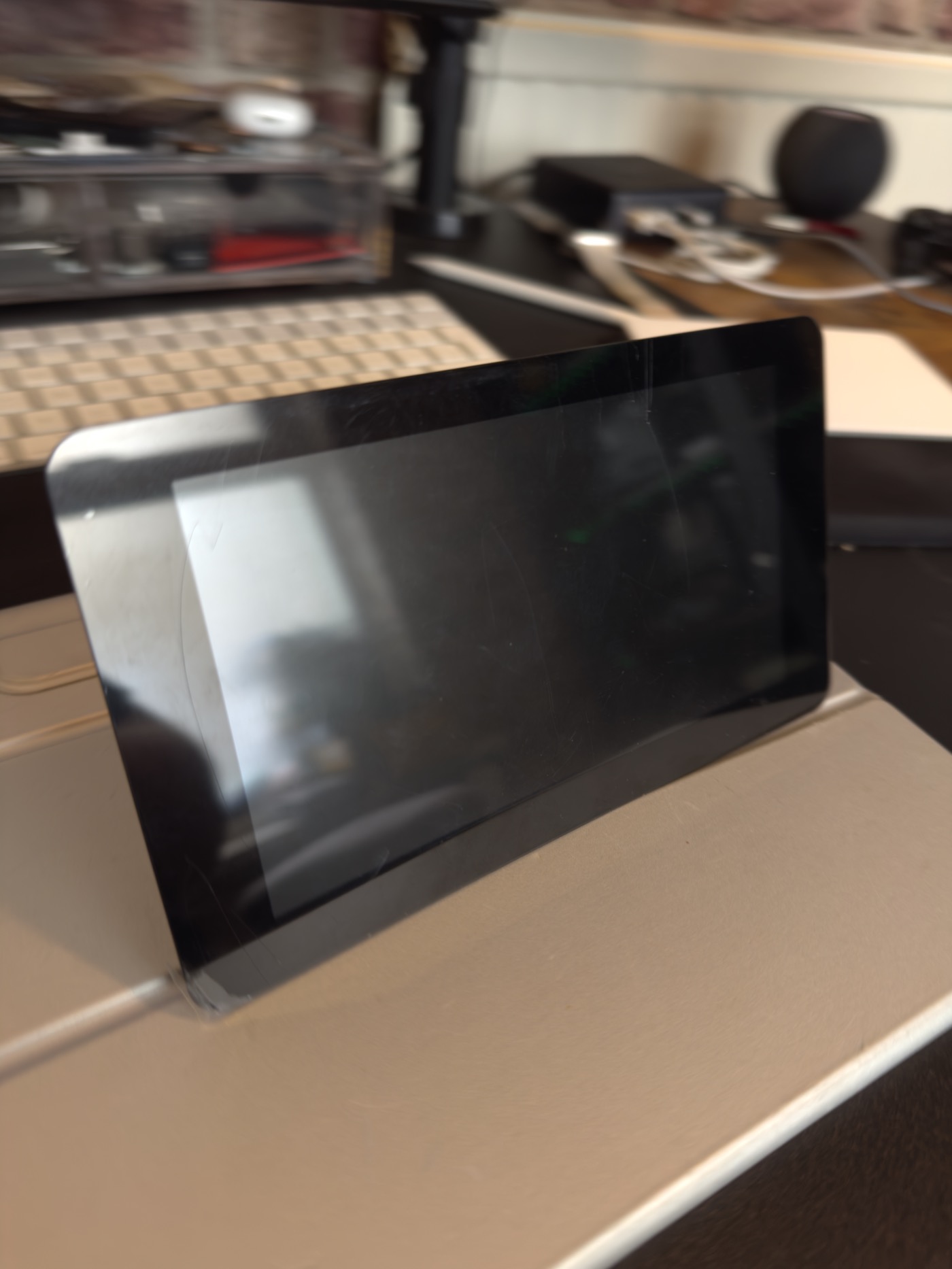 The Raspberry Pi 7-inch touchscreen before it was powered on
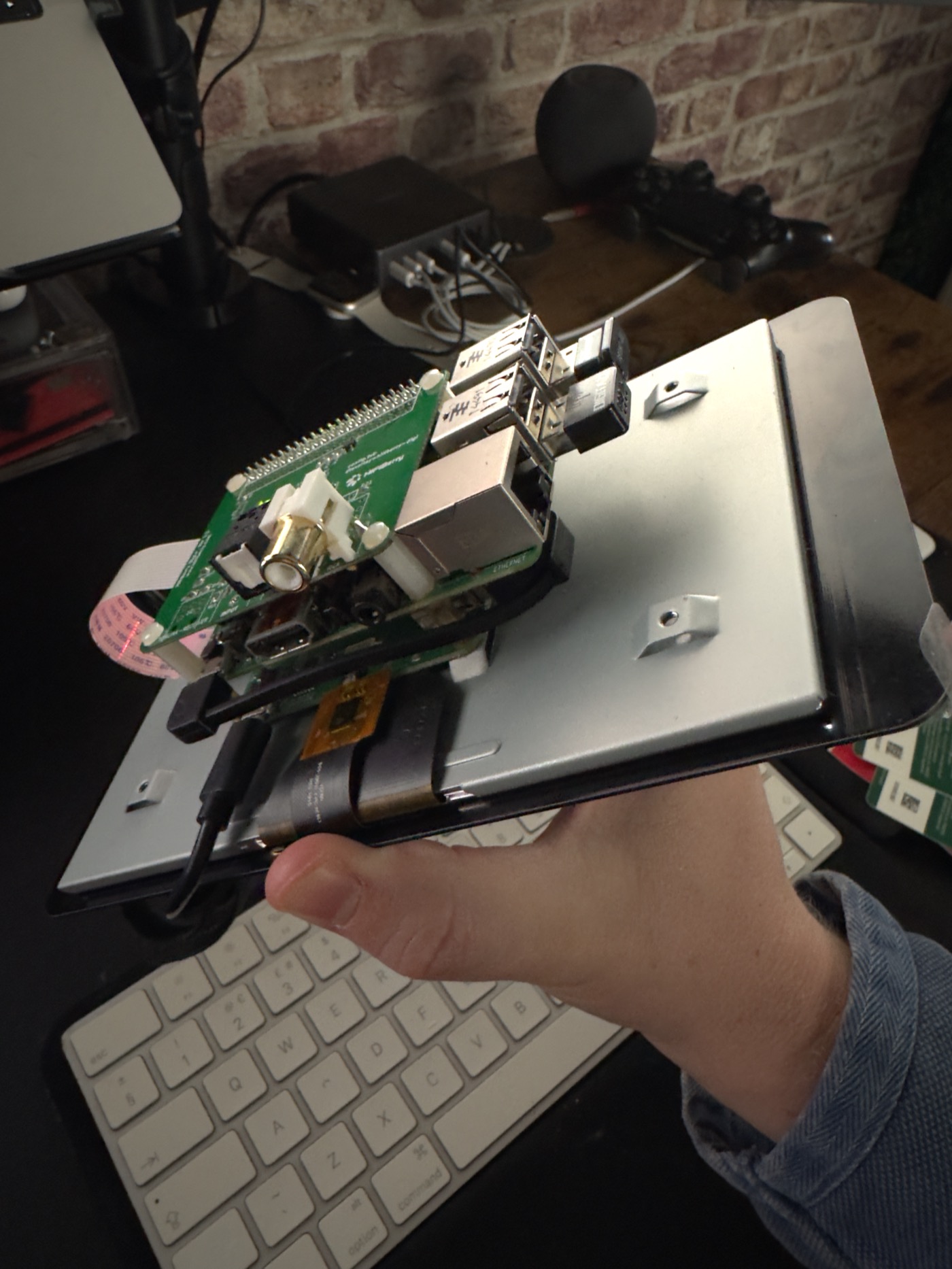 Holding the Raspberry Pi touchscreen showing the back of the unit
That timeline still feels slightly absurd to me. A few years ago, this kind of experiment would probably have remained an unfinished prototype for months because the amount of setup and scaffolding involved would have killed momentum before the interesting work even began.
Instead, the process looked something like this:
- One evening with Claude refining the kiosk UI and interaction model
- Another evening with Claude Code consolidating Developer API behaviour and tightening the architecture
- Screen arrives
- Couple of hours configuring the Pi and deployment setup
- Fully working touch-screen music kiosk by the end of the night
The important thing here is not that AI somehow "built the application." It didn't. What changed was the amount of friction involved in getting from idea to implementation. The overhead collapsed enough that experimentation became practical again.
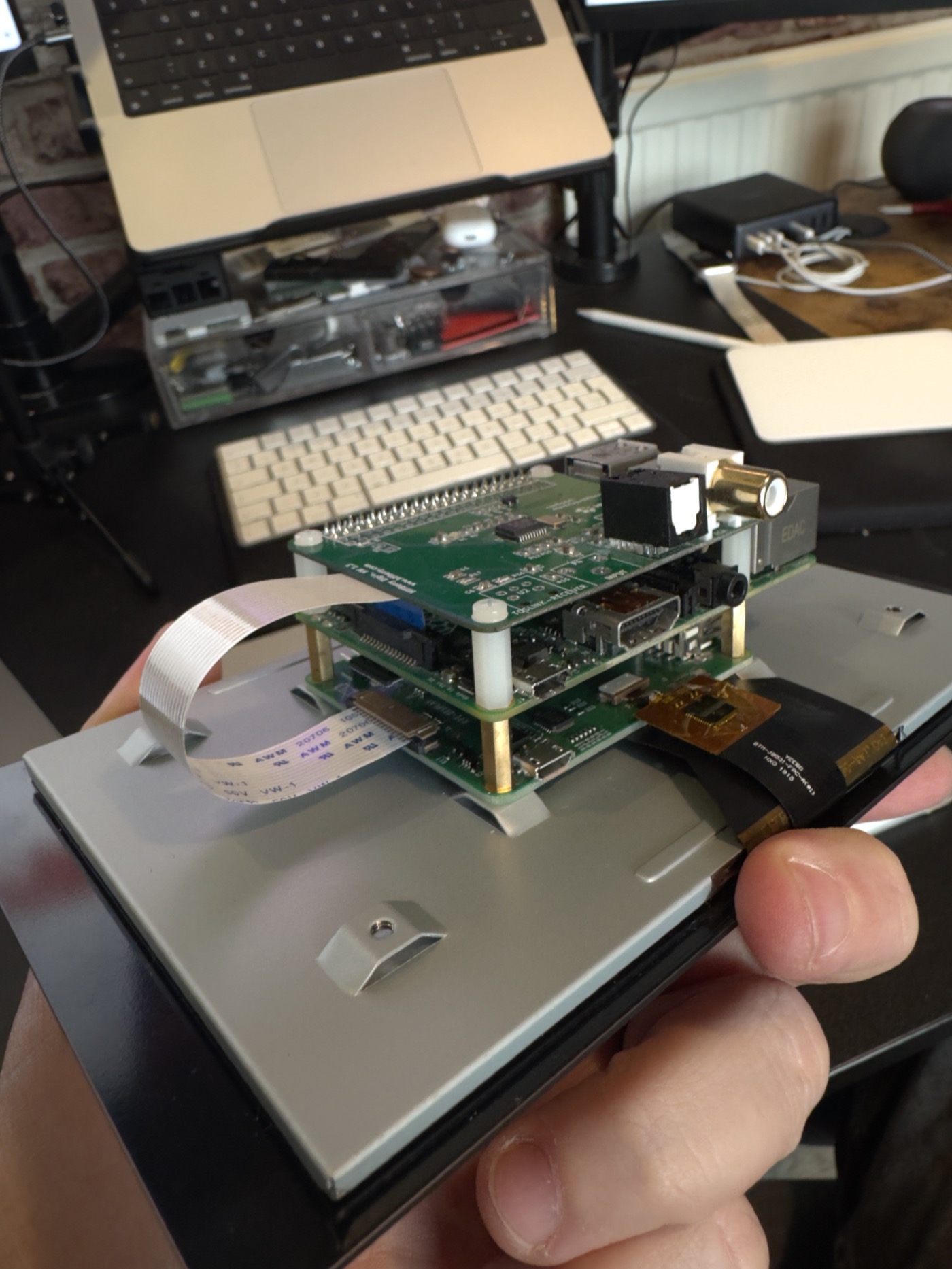 Back of the Raspberry Pi showing the HiFiBerry Digi HAT mounted
Building Kanora Touch
The Pi interface became kanora-web-player, effectively a lightweight satellite client for the Developer API built using:
- Vite
- React
- TypeScript
- Zustand for state management
The interface was designed specifically around small touch screens and low-powered hardware. Everything was optimised around an 800×480 layout, large touch targets, fast startup, and low memory overhead so that it remained usable on a twelve-year-old Raspberry Pi.
The Pi communicates directly with the Mac over the local network using the same pairing and playback APIs as the iPhone and Watch apps.
Two playback models emerged naturally from this architecture.
Remote Mode
The Pi acts purely as a controller for playback occurring on the Mac itself, similar to how a Sonos controller operates.
Satellite Mode
The Pi streams and plays audio locally while the Mac functions as the media server and library host.
That distinction ended up mattering a lot because once a Pi can behave as an independent playback endpoint, proper multiroom audio stops being theoretical. Each room can effectively become its own node within the system while still sharing the same library and playback infrastructure.
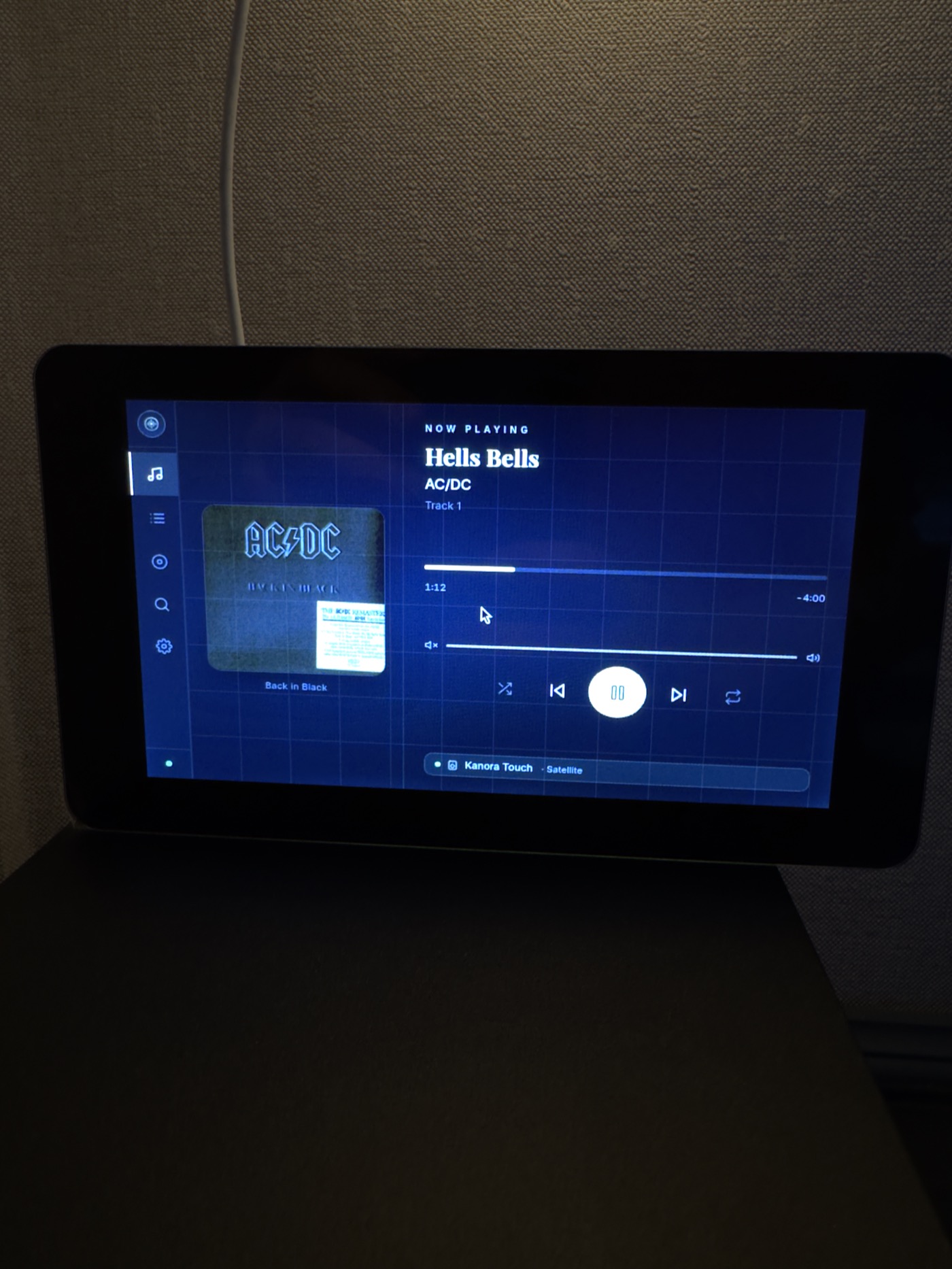 Raspberry Pi kiosk on top of the speaker showing the Now Playing screen with AC/DC Hells Bells
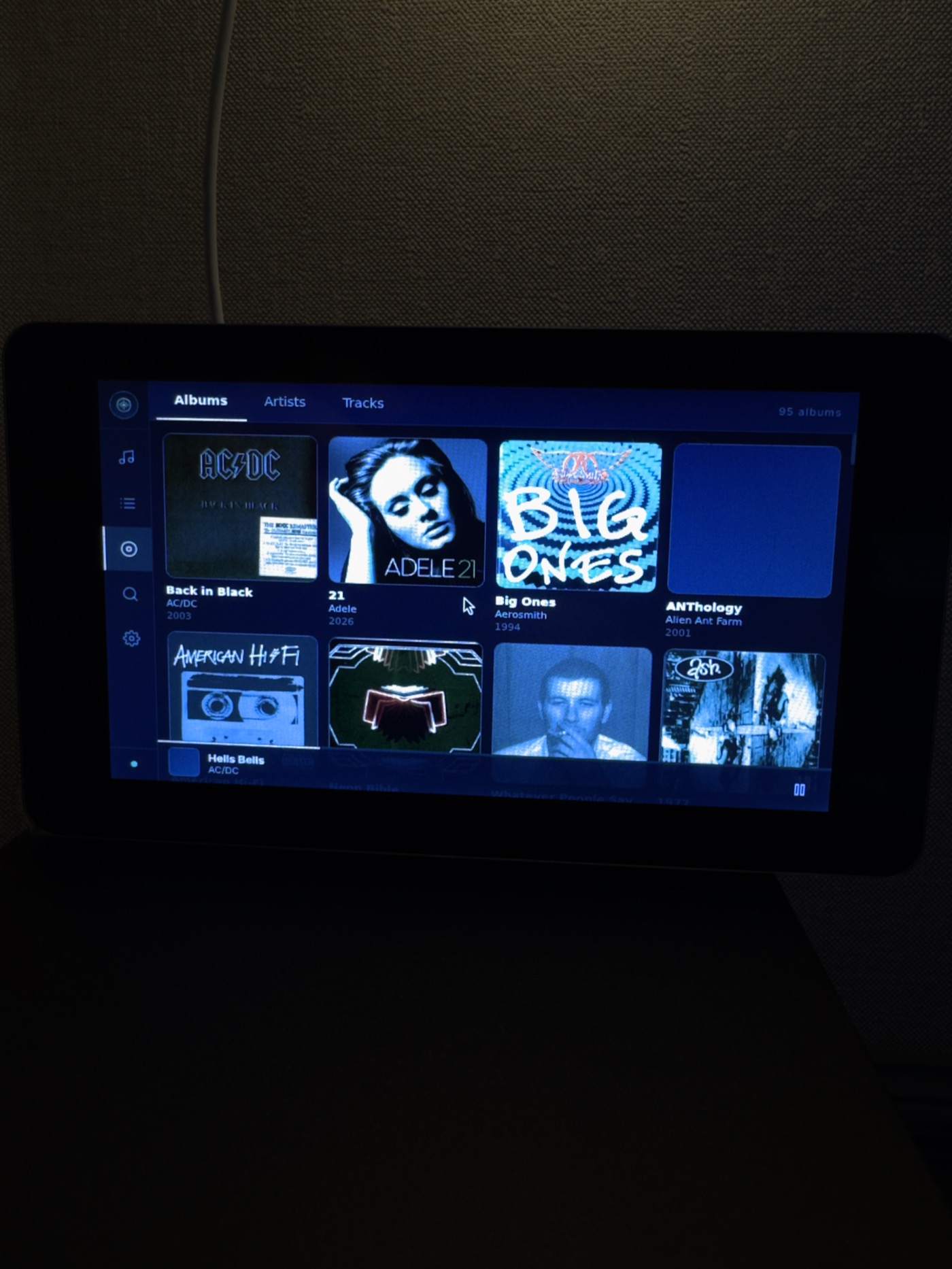 Raspberry Pi kiosk on top of the speaker showing the Albums view
The surprising part is that the Pi 2 actually handles this setup reasonably well. The stack is intentionally simple:
- Raspberry Pi OS Lite
- nginx serving the static application
- Chromium running in kiosk mode
- Automatic boot directly into the interface
That simplicity is probably why the hardware remains viable despite its age.
Of course, now I want a faster Pi.
Once the first version works, your brain immediately starts thinking about dedicated audio hardware, wall-mounted installations, faster transitions, better displays, proper amplifier integrations, and eventually full multiroom playback synchronisation. Hobby projects become dangerous once they stop feeling like prototypes.
AI Changed the Scale of What One Person Can Build
The interesting thing about AI-assisted development is that the real value has very little to do with replacing engineers.
What it actually changes is leverage.
If you already understand how systems should fit together, AI tooling compresses the distance between having an idea and having something tangible enough to test properly. Exploring ideas becomes cheaper, prototyping becomes quicker, and projects that previously felt too large for fragmented evening development sessions start becoming achievable.
Without Claude, ChatGPT, and Codex, Kanora probably still would have gained some of these features eventually. The Watch app likely would have happened. The Developer API probably would have appeared in some form. But the speed of experimentation and the willingness to pursue slightly ridiculous ideas like a Raspberry Pi kitchen kiosk almost certainly would not have been the same.
That reduction in friction changes what feels realistic for a solo developer to attempt.
The Interesting Bit: Opening It Up
There is another possibility here too.
Kanora is a one-off purchase. You buy it, it's yours. Your music lives on your hardware, the server runs on your Mac, and the system stays under your control.
Once the Developer API became stable enough to support the iPhone app, Watch app, tvOS experiments, and the Pi kiosk, it became obvious that it could support more than just the clients I happen to build myself.
That opens up some interesting possibilities.
Power users could build their own interfaces and integrations around Kanora without needing cloud infrastructure or permission from a third-party platform vendor. Home Assistant integrations make sense. Hardware controllers make sense. Stream Deck plugins, custom dashboards, automation tooling, dedicated room displays, or small Raspberry Pi clients all make sense too.
I'll probably end up releasing client libraries as well. A small Swift package for Apple platforms and a TypeScript client for web-based projects would remove a lot of friction for anyone wanting to experiment with the ecosystem.
What I like about that direction is that it still fits the philosophy Kanora started with. It doesn't require turning the product into a service, locking functionality behind subscriptions, or centralising everything in the cloud. The software remains local-first and self-contained, but becomes extensible in a way that feels genuinely useful rather than artificially gated.
The trade-off is that the API can no longer be treated as purely internal plumbing. Once other people start building against it, stability matters in a different way. Versioning, compatibility, documentation, migration paths, and sensible deprecation policies stop being optional engineering niceties and start becoming part of the product itself.
That's probably the biggest mindset shift underneath all of this. Kanora started as a personal music player, but the more companion experiences I build around it, the more it starts resembling infrastructure for a home media system. Infrastructure brings a different set of expectations, particularly if other people begin relying on it in their own setups.
What's Next
At this point, the overall direction feels fairly clear.
The Developer API provides a stable and consistent interface for every companion experience Kanora might support in future, whether that's iPhone, watchOS, tvOS, Raspberry Pi kiosks, DLNA renderers, or entirely new ideas that don't exist yet.
That consistency matters because it means I can continue expanding the system without rebuilding the foundations each time. More importantly, it means I can keep building my own home media setup with the confidence that it remains entirely under my control.
No cloud dependency.
No mandatory accounts.
No subscription lock-in.
No vendor deciding older hardware has reached end-of-life.
Just local hardware, a music library I actually own, and software designed around keeping those things working together for as long as I want them to.
At the moment, that mostly means a Raspberry Pi mounted on my kitchen wall running a touch-screen Kanora client powered by a twelve-year-old computer that still somehow manages to be useful.
Realising this as a product for other people is the more complicated part. I can refactor APIs at midnight because I've had a new idea, but end users need stability. Once people start building their own setups around the Developer API, compatibility, migration paths, and long-term support stop being abstract engineering concerns and become part of the trust relationship between the software and the people using it.
That's a very different challenge from building a personal music player, but it's also a much more interesting one.