Kanora
Kanora
Native music library software

Rip your CDs. Keep your files. Play your music your way.

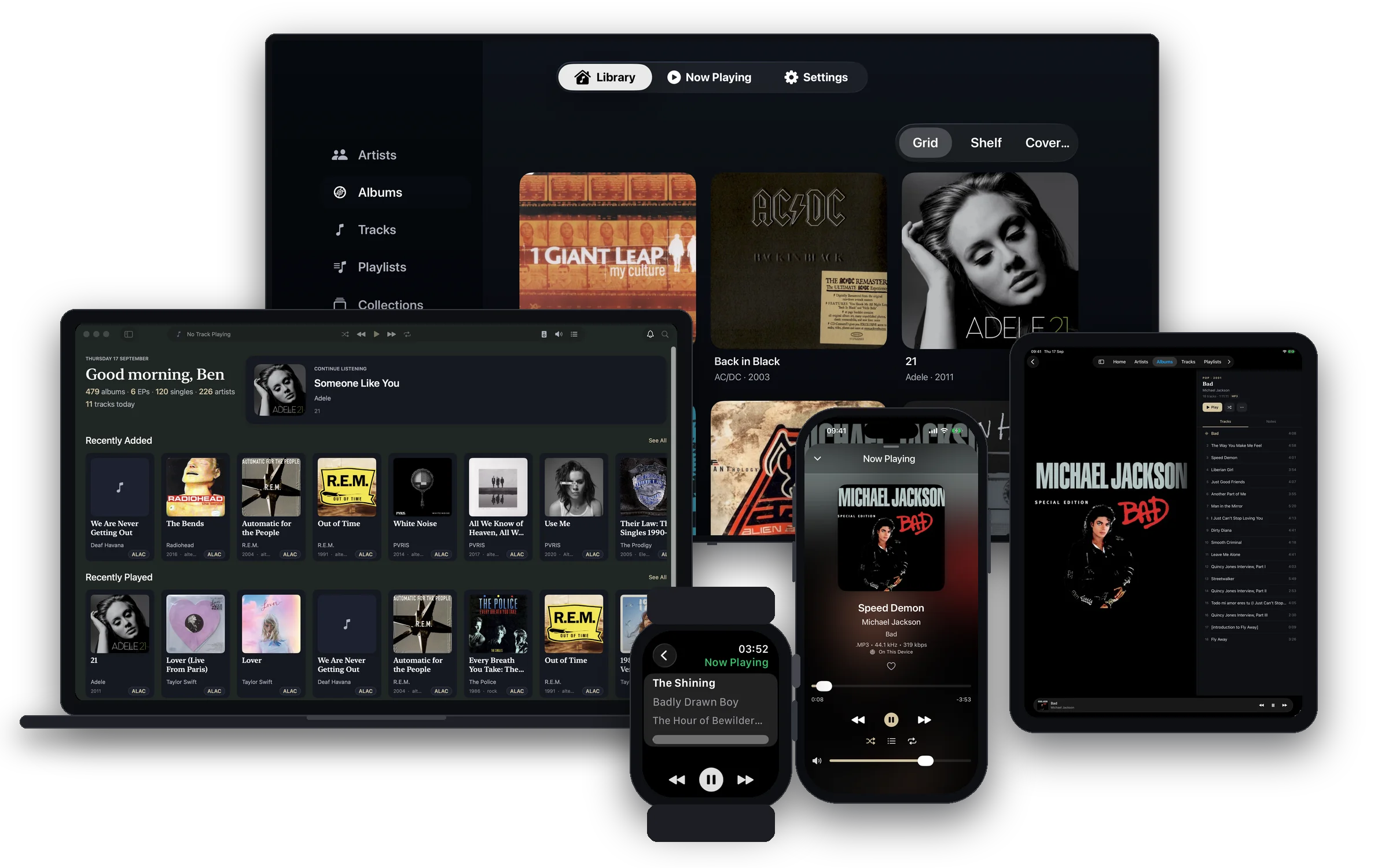
Kanora is a native music library app for Mac, iPhone, iPad, and Apple Watch. It helps you build and manage a collection you actually own, from ripped CDs and existing folders to vinyl and cassette captures. No subscription. No account. No rented catalogue.

  CD ripping
  Metadata and artwork
  Mac, iPhone, iPad, Watch, and CarPlay
  DLNA, AllPlay, and MiniDisc
II · What You Can Do

Everything starts with your own music.

Rip CDs, import folders, fix metadata, record analog sources, and listen across the devices and speakers you already use.

IV · Format Stories

Old formats. Good hardware. Still worth using.

Network speakers that still sound good

DLNA and AllPlay-era support helps older receivers and speakers stay useful instead of becoming abandoned hardware.

MiniDisc, properly welcome

NetMD transfer and line-out friendly playback give MiniDisc a clear place beside CDs, files, and analog captures.

Vinyl and cassette into your library

Record analog sources on Mac, iPhone, or iPad, then split tracks, edit metadata, and save the result with the rest of your music.

III · See It

Sixty seconds in the actual app.

The library at rest, a rip in progress, a metadata edit, and music routing to AirPlay. No tour narration. Just Kanora doing the work.

Kanora · In UseFocusee · ~60s

Recording brief

A highlight reel rather than a walkthrough. Show the library browsing naturally, a rip running in the background, a quick metadata correction, and music routing out to AirPlay. Nothing guided or explained. The app should look confident and unhurried. Shoot in 2x or with Focusee's zoom tracking so the interface reads cleanly on a small screen.

V · Why It Exists

A collection should survive service changes.

Streaming is useful for discovery, but it is a weak place to keep the only copy of music that matters to you.

Kanora gives local files, physical media, and older playback hardware a modern place to live.

i.

Your files stay yours.

Kanora keeps your folder structure, filenames, and drive layout understandable. You decide where music lives.

ii.

The details should be editable.

Fix album titles, track numbers, artwork, genres, and release details with previews before changes land.

iii.

Good hardware should keep working.

Play through Mac, iPhone, iPad, Apple Watch, CarPlay, AirPlay, DLNA speakers, and AllPlay-era hardware as support matures.

iv.

Music you bought should not need an account.

Kanora is built around local files, optional personal iCloud use, and a one-time purchase.

33⅓

“Buy a CD, rip it, tag it properly, and play it on the devices you use now. That simple workflow should still exist.”

Ben Reed · Building Kanora

V · Latest Dispatches

Notes from the workbench.

Product notes, build logs, and essays about owning music.

All dispatches
Stay Updated

Get Kanora updates.

Early access opens later this year. Join the list for product updates, release notes, and practical posts about building a music library you control. Roughly monthly. Cookie-free website analytics only. Unsubscribe any time.

No affiliates and no resold addresses. Kanora will be a one-time purchase at launch.