Capture with care
Kanora treats ripping as the start of a library, not a throwaway import step. The point is to get a disc onto your drives cleanly, with the right release data attached, without inventing a new file layout or asking you to accept a mess and fix it later.
Pristine disc imports with MusicBrainz lookup, artwork fetching, duplicate warnings, and multi-disc awareness built into the ripping flow.
Recording brief
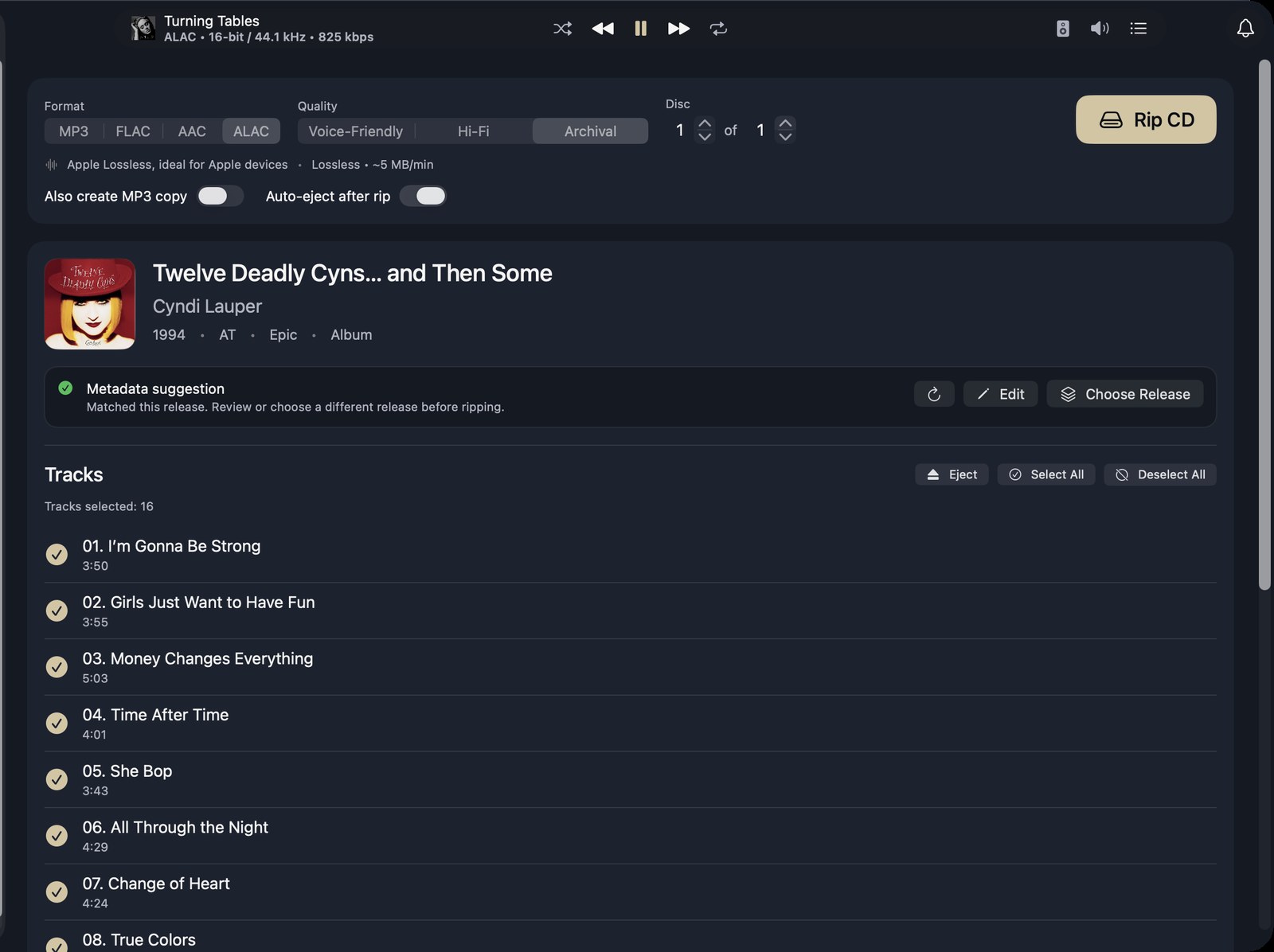
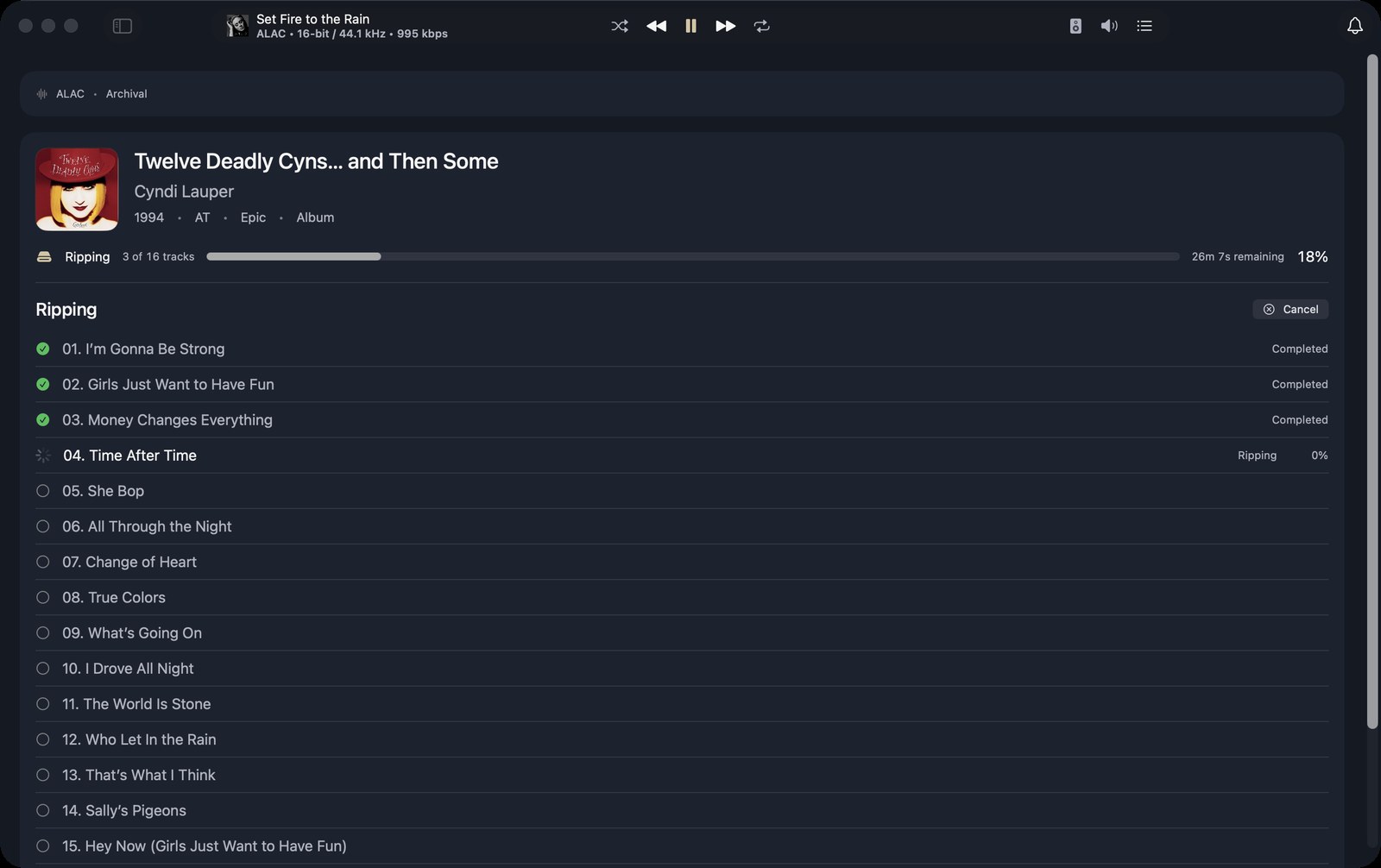
Show the complete ripping flow. A disc is detected, the release appears in the lookup, you review and correct the metadata before starting, the rip runs, and the finished album lands in the library. Keep the pacing calm — this is about trust, not speed.
What It Is
The ripping flow is designed for people who still buy discs and still care what edition they are importing. Kanora reads the disc, looks up the release, lets you correct anything before the job starts, and then writes the files into the structure you already use rather than imposing a new one.
That matters more than it sounds. A lot of ripping software gets you to playable files quickly, but it also leaves you clearing up naming problems, mismatched artwork, or generic metadata that only becomes obvious once the album is on a shelf beside everything else.
Why It Matters
For a collector, the rip is the moment where trust is either established or lost. If the app gets the album wrong, guesses at disc numbers, or quietly rewrites your folders, every later promise about organisation and playback feels weaker.
Kanora is trying to make the first pass good enough that the library starts in the right shape, which is why the flow includes release choice, metadata editing, duplicate awareness, and a clean way to stop or retry jobs when a drive misbehaves.
Current Shape
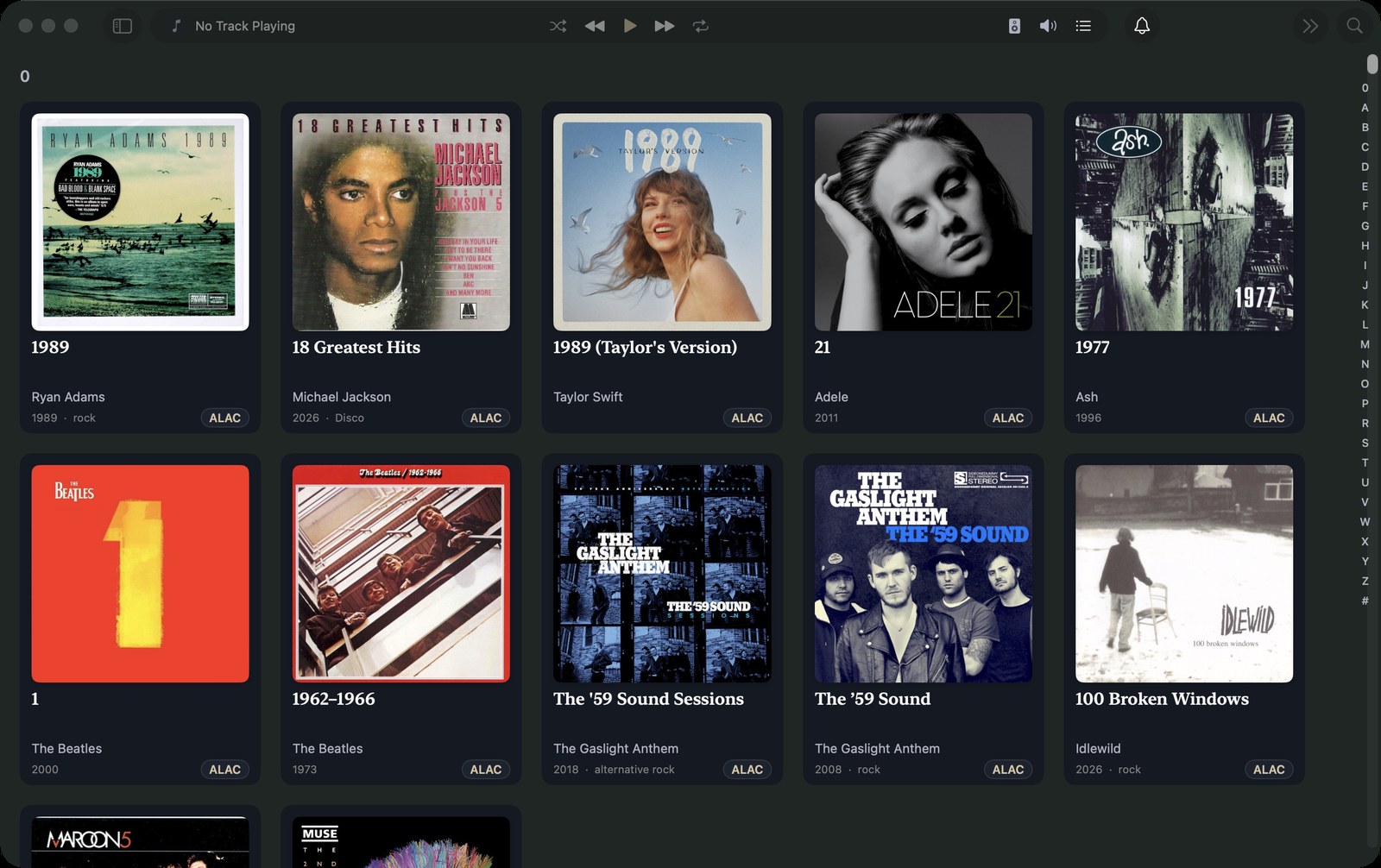
This is one of the most mature parts of the app today. The pipeline already covers the practical cases that make ripping feel real rather than demo-ready: multi-disc box sets, fallback search when lookup is thin, optional companion MP3 creation for awkward playback targets, and better artwork recovery when the first import was incomplete.
Metadata you can trust
Track, album, and bulk editors with live previews, artwork comparison, library-aware suggestions, and deliberate metadata changes instead of invisible cleanup.
Analog to AirPlay
Live input monitoring with device selection and routing, aimed at letting a physical source move through the same playback system as the rest of your library.
DLNA revival
A revival path for DLNA, UPnP, and AllPlay-era speakers that still sound good but have largely been abandoned by modern software.