Support · Platforms

Your music on the devices you already use.

Kanora runs on Mac, iPhone, iPad and Android, with CarPlay through the iPhone app. Apple Watch and Apple TV apps are in development. The phone and tablet apps work on their own with music you import. Add a Mac and they can stream its whole library too.

I · Platforms

Pick the screen that suits the moment.

I.First-class

macOS

Rip CDs, manage the main library, edit metadata, and keep the collection anchored on the machine with your drives.
●Supports macOS 12 Monterey or later.
●Runs on both Apple Silicon and Intel Macs.
●Includes CD ripping, folder import, metadata work, artwork, and the fullest library management tools.
Kanora for Mac
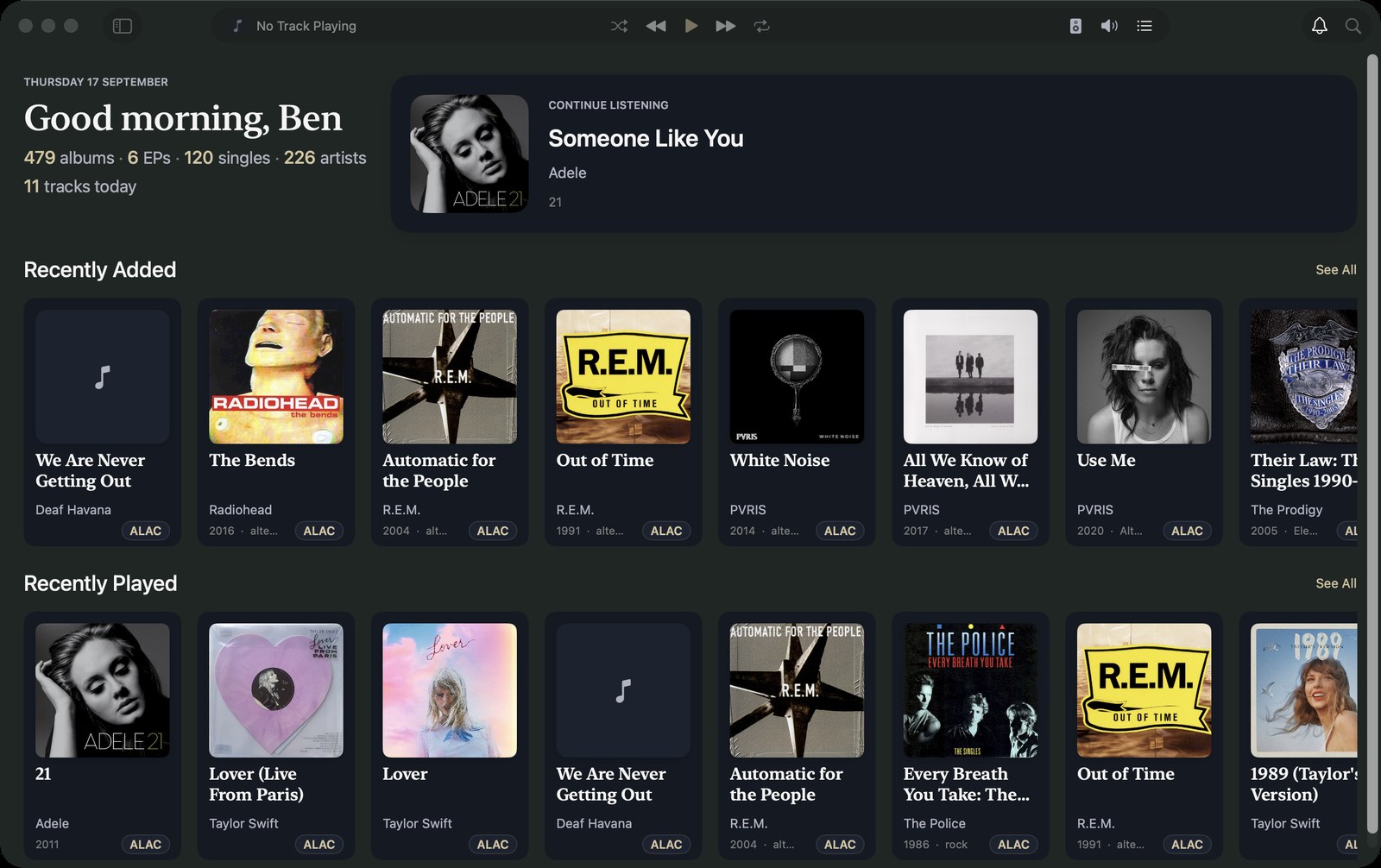
Kanora on the Mac: the Home screen with library totals, Recently Added and Recently Played rows of album artwork, and the Now Playing bar.
Home
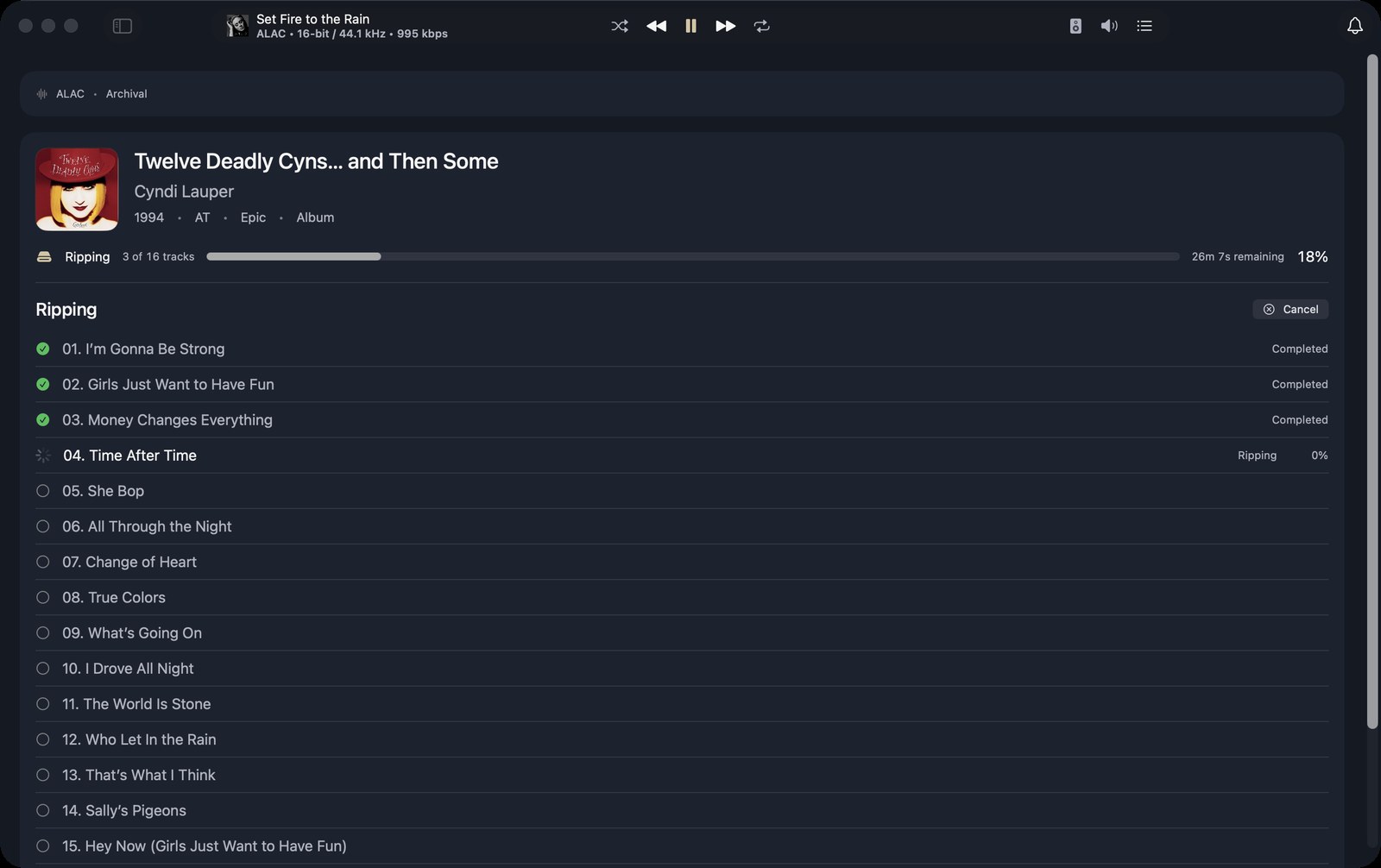
A rip in progress on the Mac: three tracks completed, the fourth ripping, an overall progress bar with time remaining, and a Cancel button.
Ripping
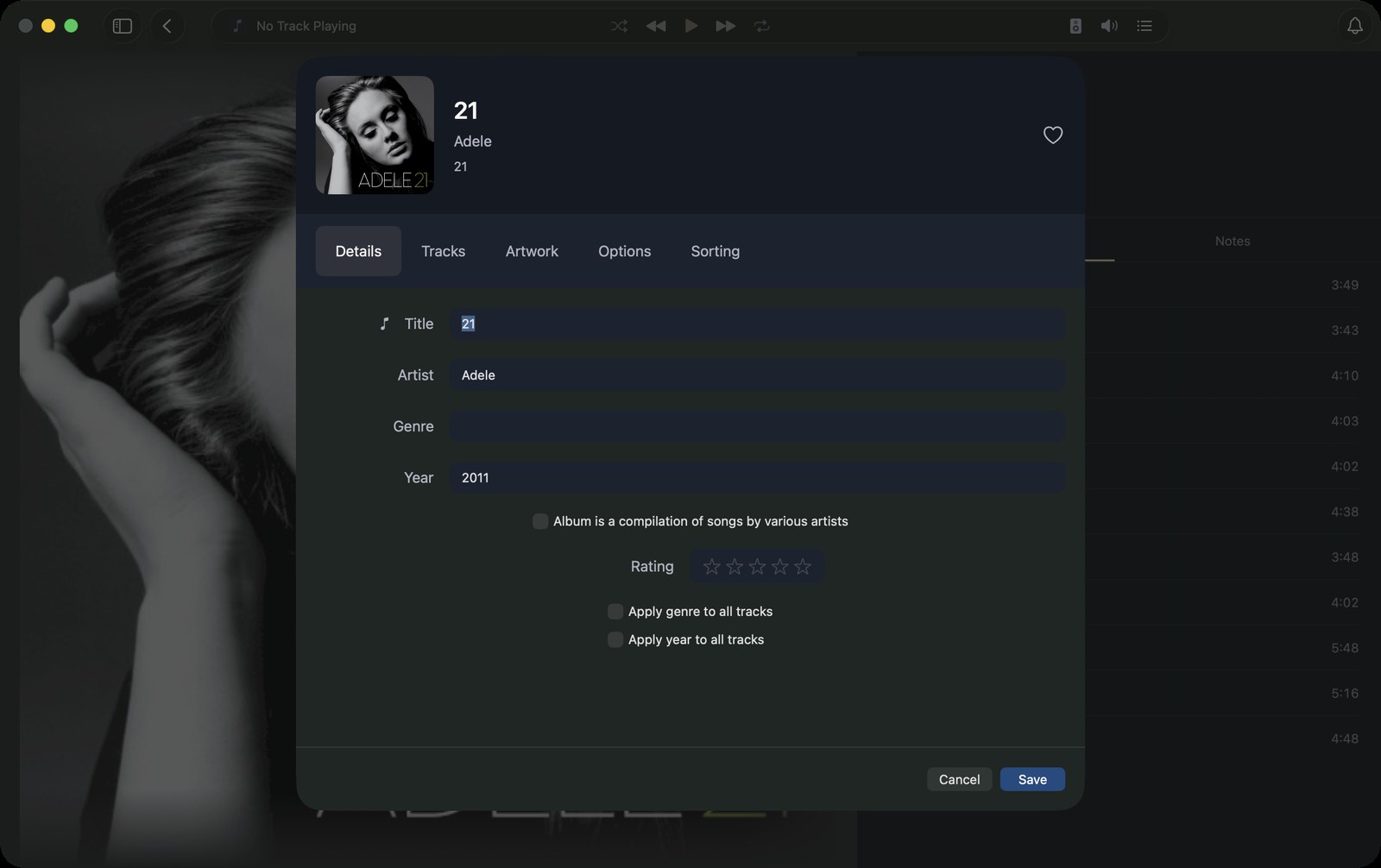
The album editor sheet on the Mac with Details, Tracks, Artwork, Options and Sorting tabs, and fields for title, artist, genre, year and rating.
Edit album
II.Supported

iPhone

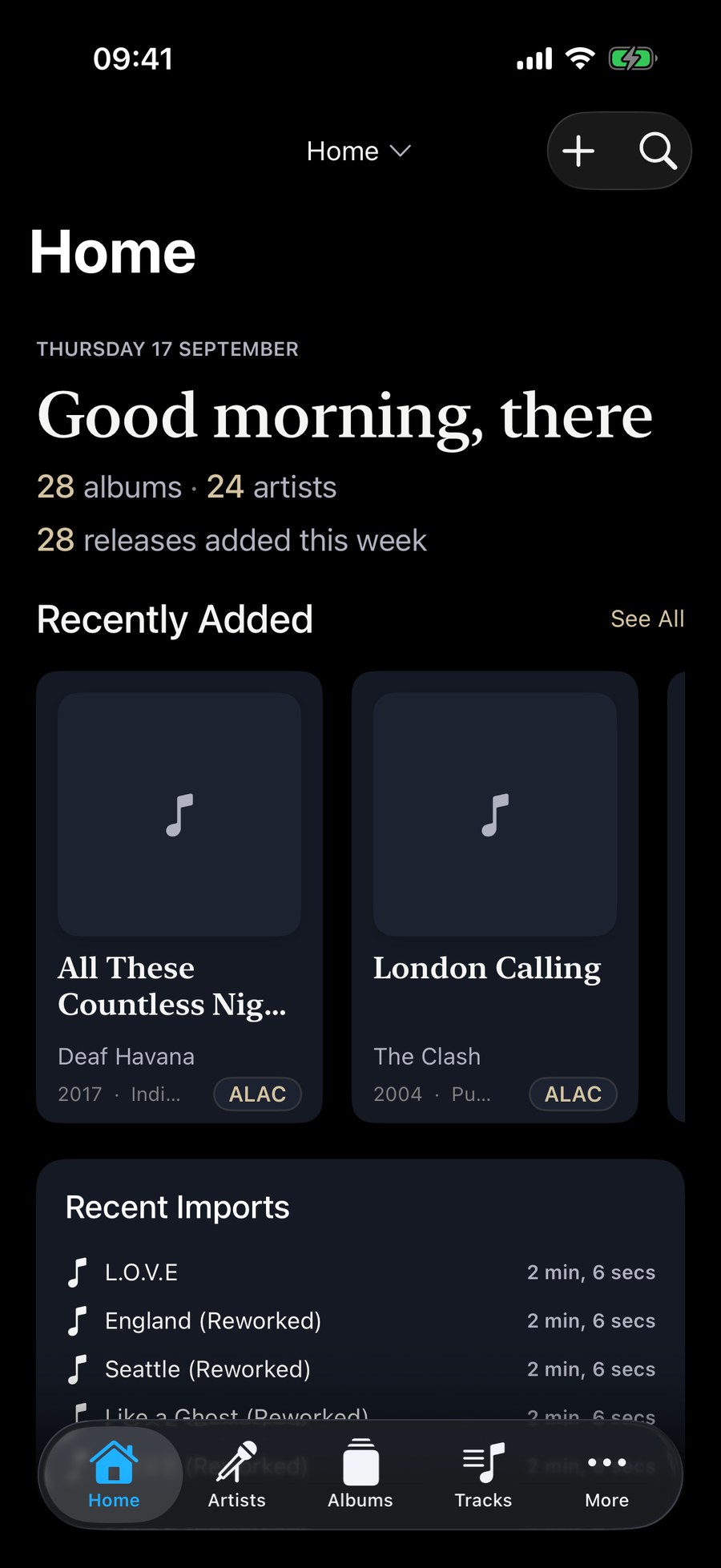
Keep a library on the phone itself, or pair with a Mac and stream the whole collection.
●Current support target: iOS 18.6 or later.
●Works on its own: import music through the Files app, from iCloud Drive or files already on the phone, and Kanora copies it into the phone’s own library.
●Plays a Kanora library from a USB drive in place, without copying it to the phone. It works when the Mac app’s library lives on that drive, and Kanora only reads it.
●Pair with a Mac to browse and stream its library, and download albums for offline listening.
●Also unlocks CarPlay.
Kanora for iPhone & iPad
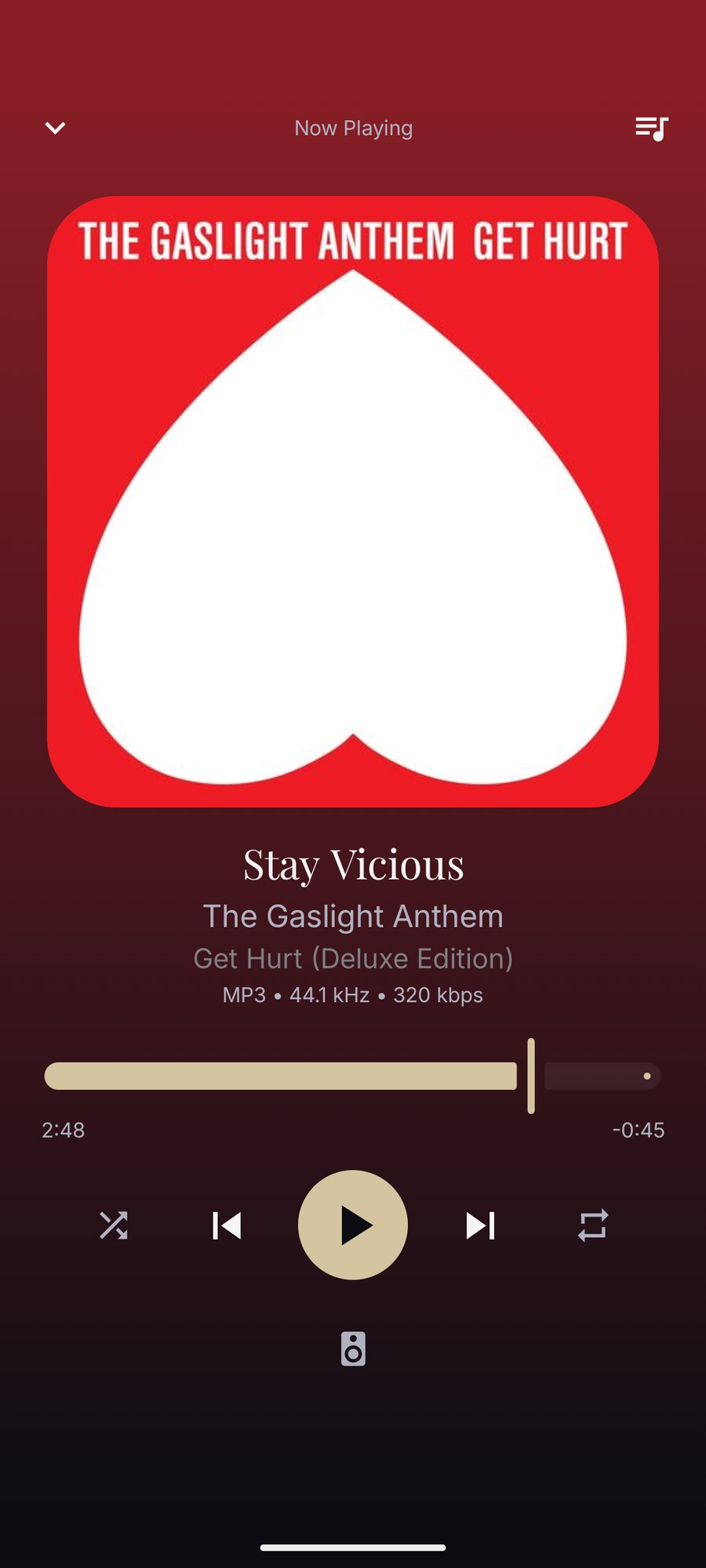
Kanora on iPhone: the Home screen with a greeting, library totals, and a Recently Added row of album artwork.
Home
An album on iPhone: full-width artwork, title, artist, format badge, Play and Shuffle buttons and the track list.
Album
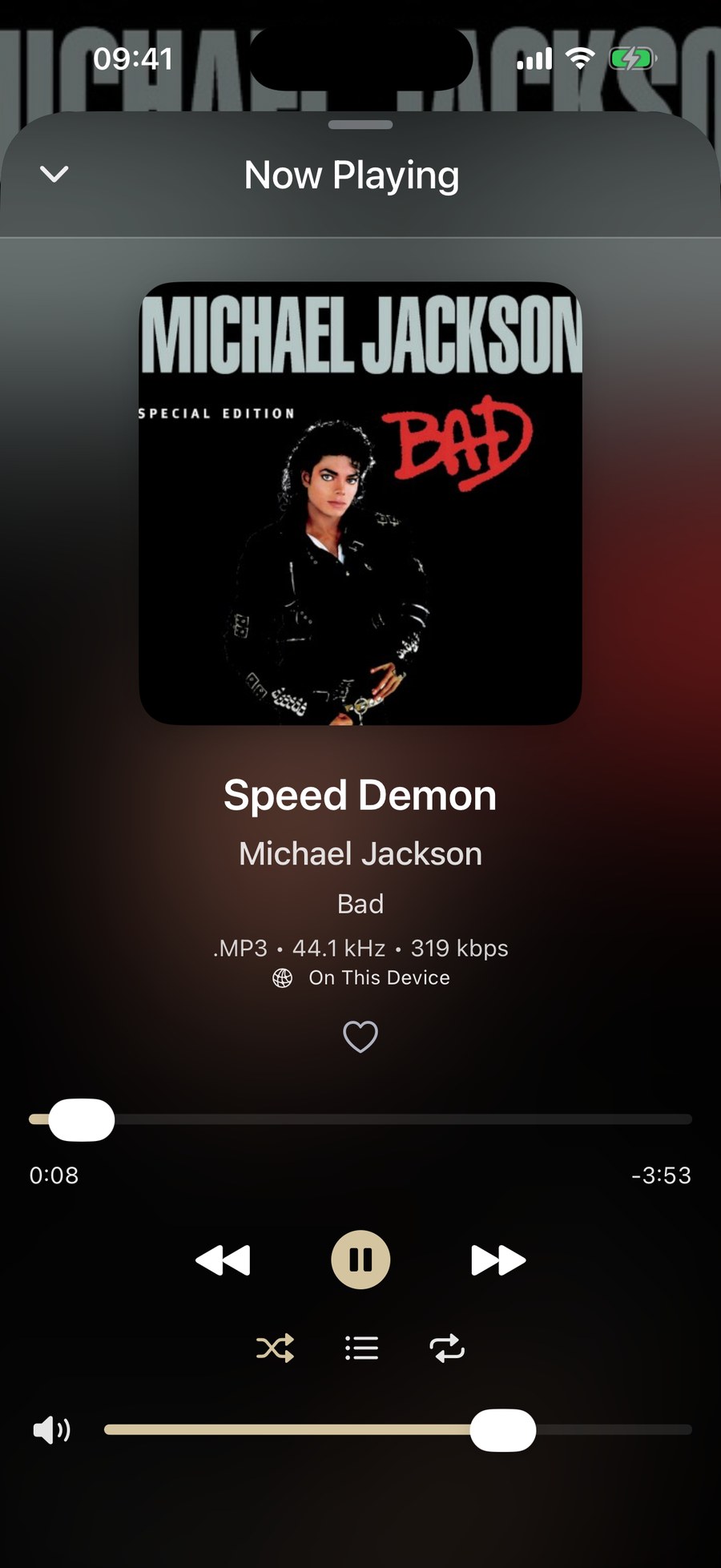
Now Playing on iPhone with artwork, track, artist and album, the file format and sample rate, a scrubber, transport controls and a volume slider.
Now Playing
III.In Development

Apple Watch

Use the Watch as a companion remote, then take selected music with you for local playback from the wrist.

●Browse and control the iPhone playback session from the Watch.
●Sync selected albums, playlists, and tracks from the iPhone to Watch storage.
●Supports local Watch playback, Cover Flow browsing, and Now Playing complications as the Watch app matures.
Kanora for Apple Watch
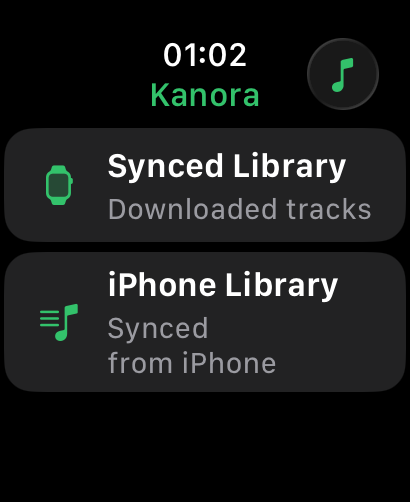
Kanora on Apple Watch: two choices, Synced Library for downloaded tracks and iPhone Library for control of the phone.
Home
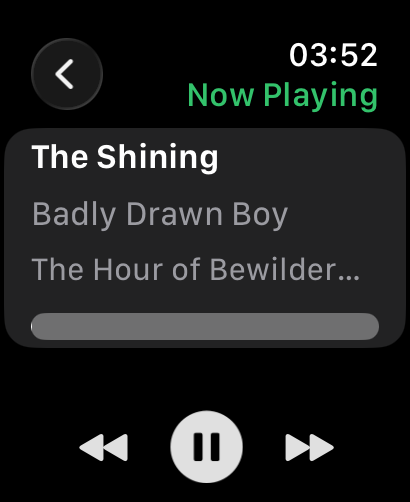
Now Playing on the Watch: track, artist and album, a progress bar and previous, pause and next controls.
Now Playing
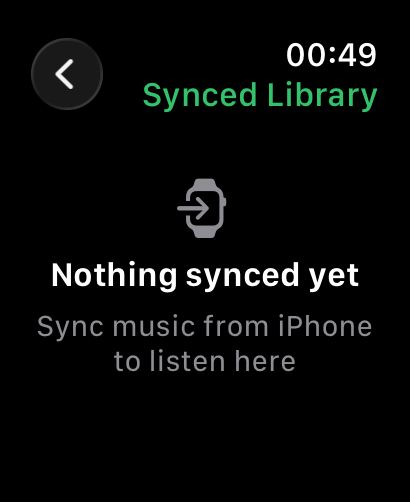
The Synced Library on the Watch before any music has been sent from the iPhone.
Synced Library
IV.Supported

iPad

Browse, listen, and manage more comfortably on a larger touch screen, with or without a Mac.

●Current support target: iPadOS 18.6 or later.
●Works on its own: import music through the Files app, from iCloud Drive or On My iPad, or drag files in from another app.
●Plays a Kanora library from a USB drive in place, as on iPhone.
●Pair with a Mac to browse and stream its library, and download albums for offline listening.
Kanora for iPhone & iPad
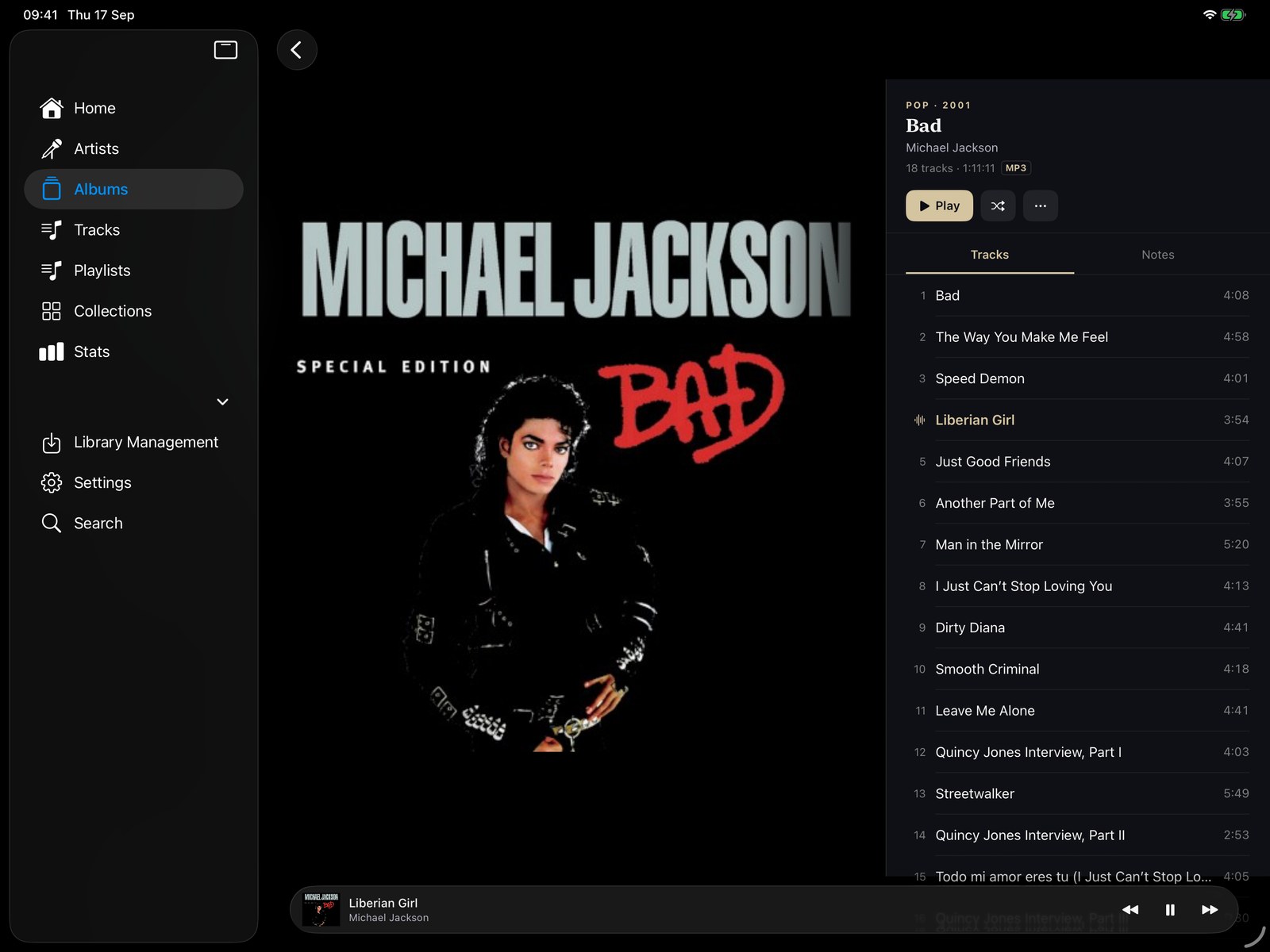
An album on iPad in landscape: sidebar, large artwork and the full track list side by side.
Album
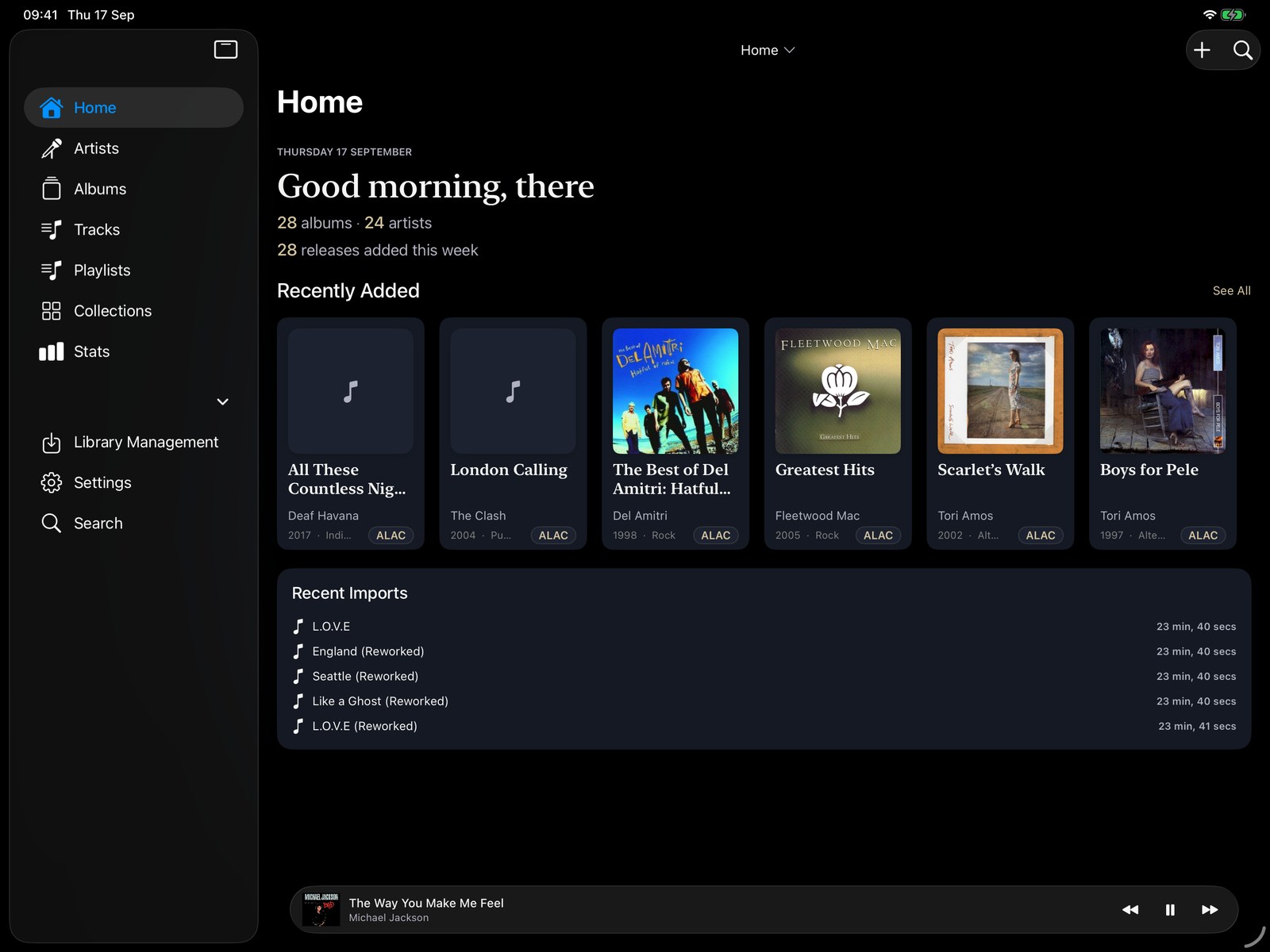
Kanora on iPad in landscape: a sidebar, the Home screen with library totals, a Recently Added row and a Recent Imports list.
Home
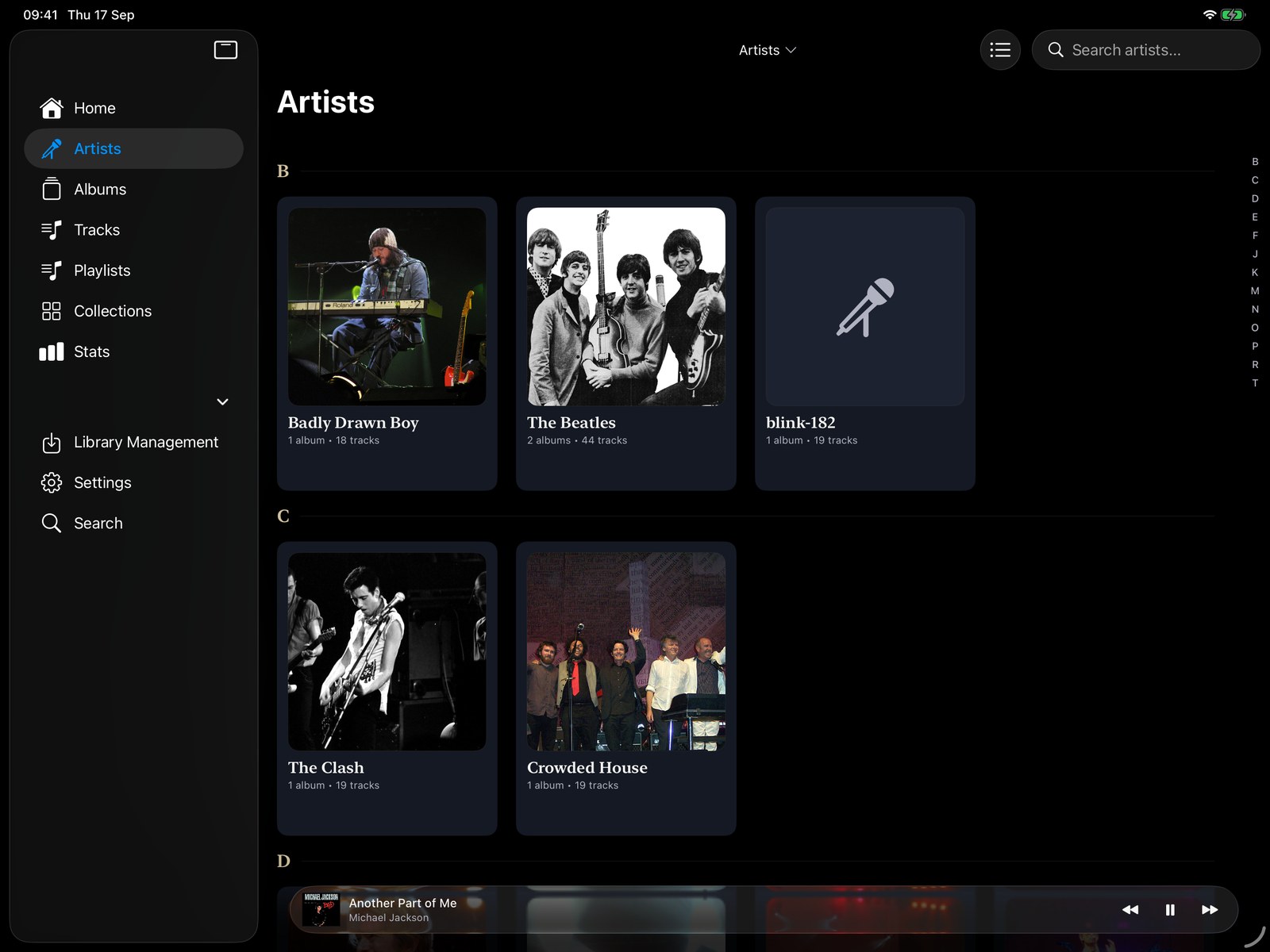
The iPad artist grid in landscape with artist photographs.
Artists
V.Included on iPhone

CarPlay

Bring your own albums to the car through the iPhone app.

●Browse and play your local Kanora library from the dashboard.
●Included with the iPhone app rather than sold as a separate extra.
●Designed for people who want their own collection in the car.
CarPlay in the iPhone app
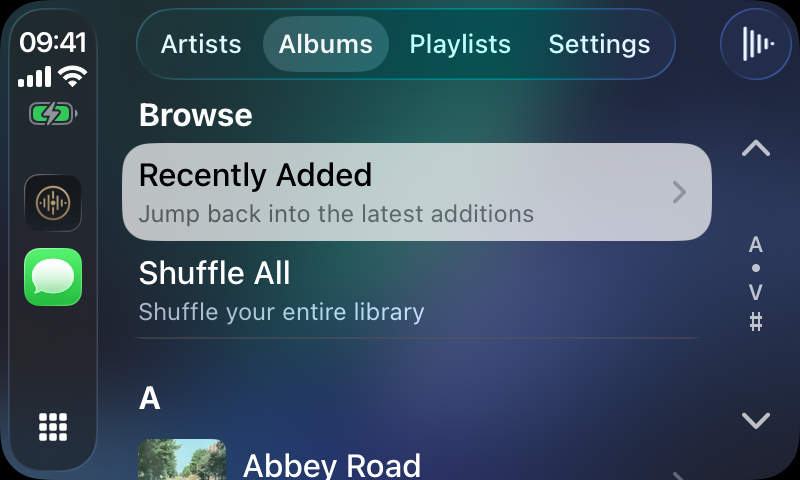
Kanora in CarPlay: Artists, Albums, Playlists and Settings tabs, Recently Added and Shuffle All shortcuts, and the album list.
Albums
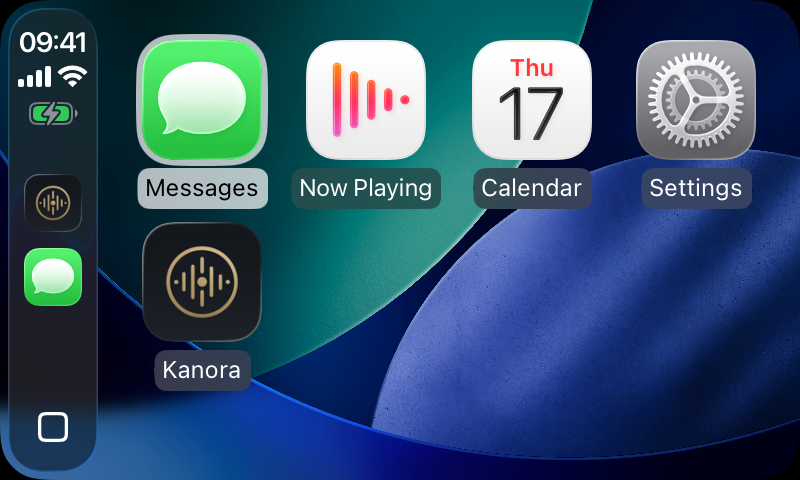
The CarPlay home screen with the Kanora app icon alongside the built-in apps.
Home screen
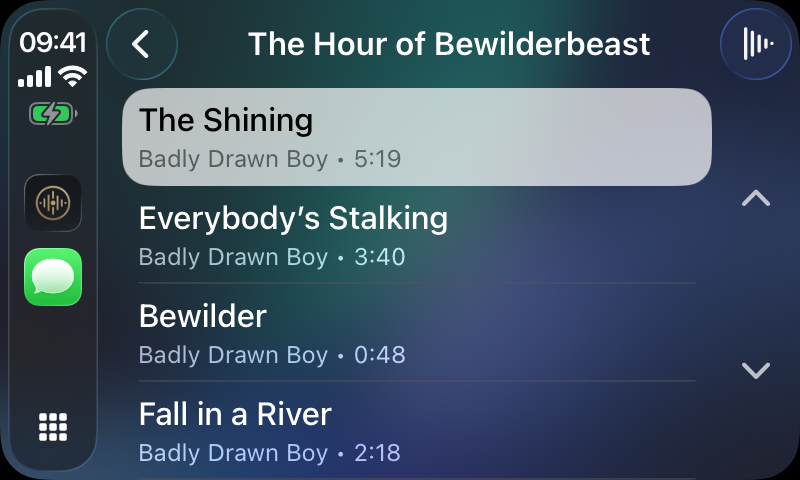
An album track list in CarPlay with track titles, artist and durations.
Album tracks
VI.In Development

Apple TV

Browse the Mac library from the sofa, then play on the Apple TV or hand playback to the Mac in the hi-fi stack.

●Pairs with the Mac host over the local network.
●Two playback modes: play through the Apple TV, or control the Mac and let it play.
●Grid and Shelf album views built for the Siri Remote.
Kanora for Apple TV
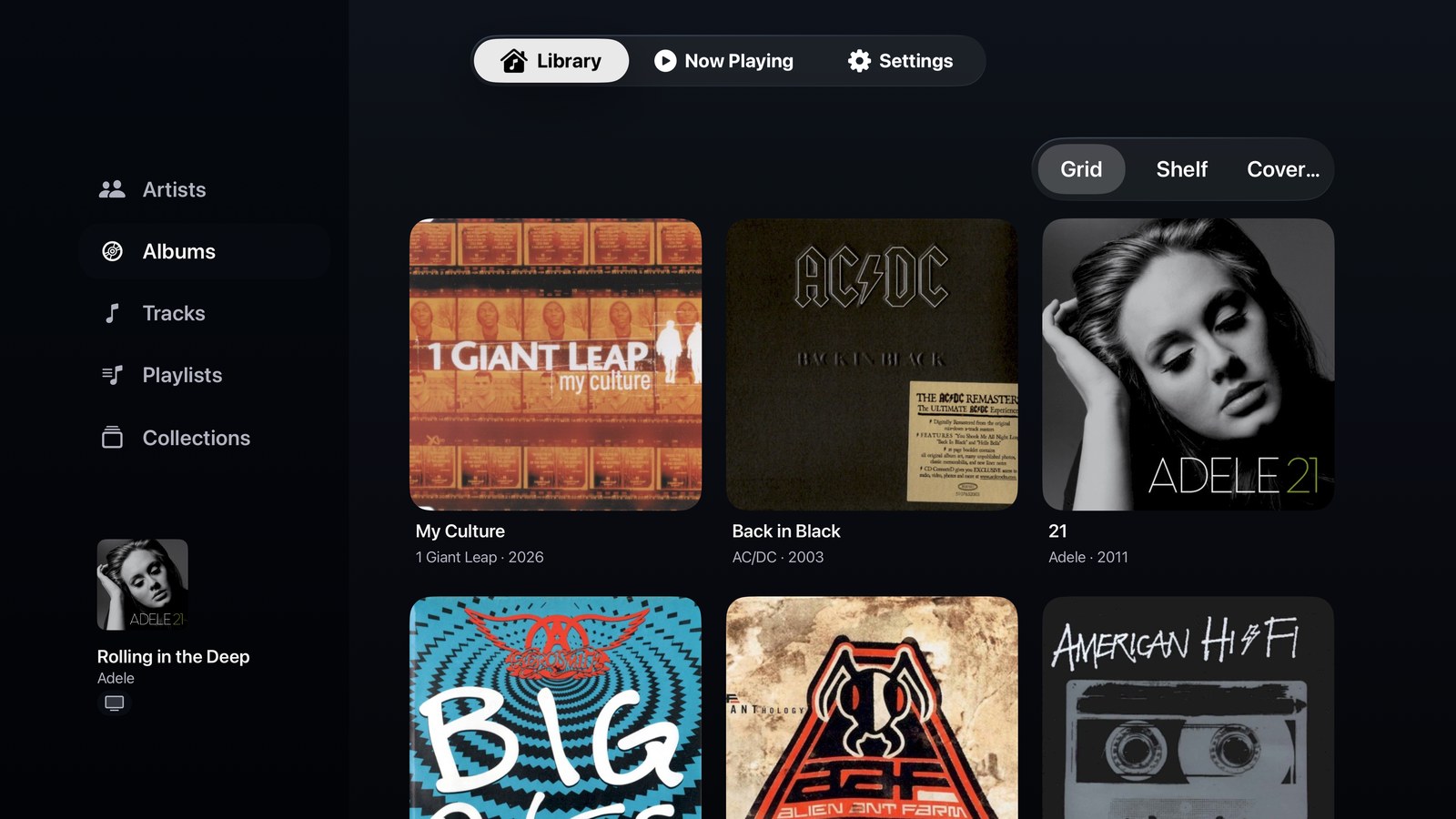
Kanora on Apple TV: the album grid with a sidebar of Artists, Albums, Tracks, Playlists and Collections, a Grid, Shelf and Cover Flow selector, and a mini player.
Library
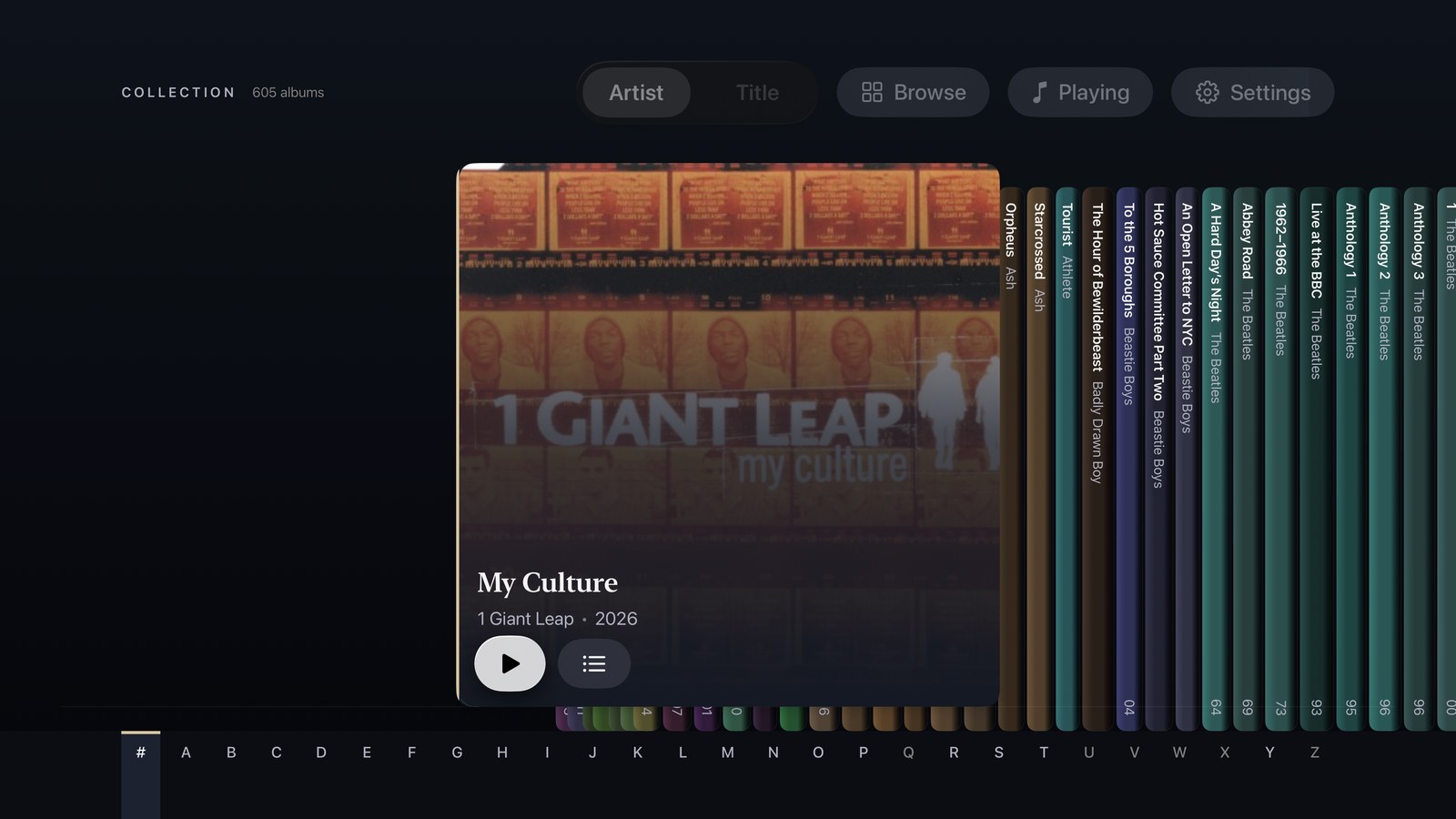
The Shelf view on Apple TV: album spines in a row with one case pulled out to show its artwork, and an A–Z strip along the bottom.
Shelf
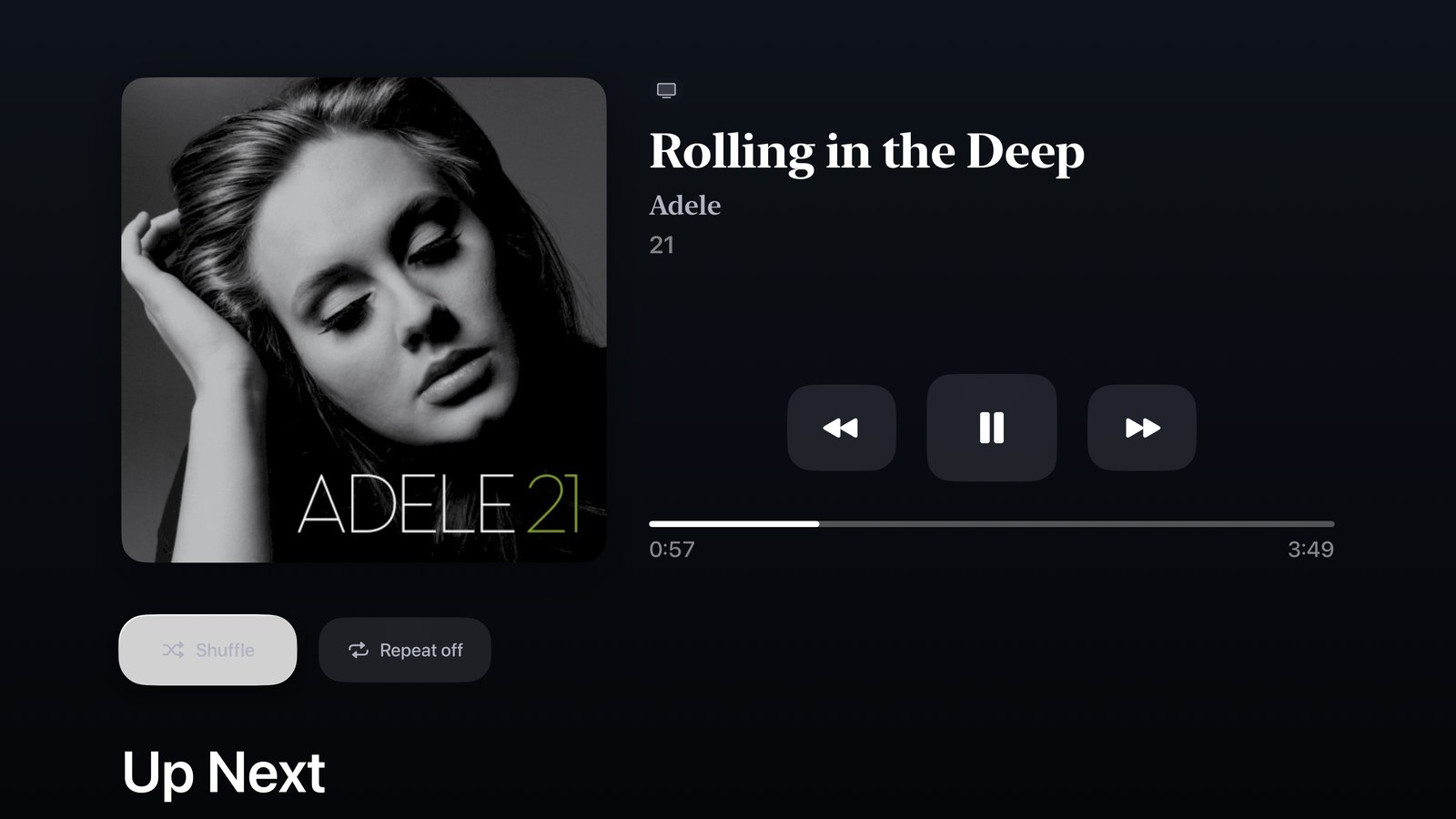
Now Playing on Apple TV: large artwork, track, artist and album, transport controls, a progress bar and Up Next.
Now Playing
VII.Supported

Android

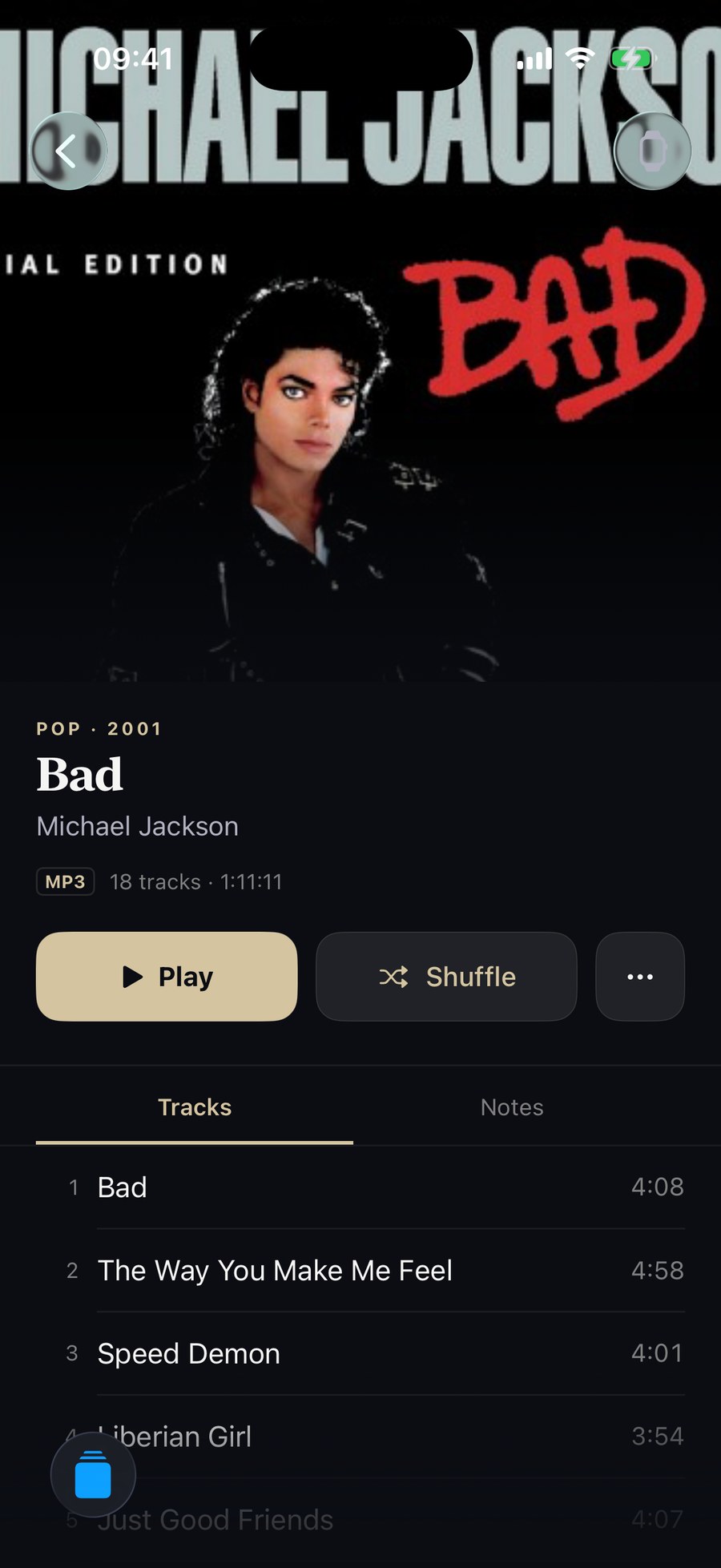
Keep a library on the phone itself, or pair with a Mac and stream the whole collection.
●Requires Android 10 or later.
●Works on its own: import files or whole folders through the Android file picker, and Kanora copies them into a library on the phone.
●Pair with a Mac over your home network to browse and stream its library, and download albums for offline listening.
●Playlists, collections, listening stats, and Shelf and Cover Flow album views. Plays Apple Lossless files.
●There is no Android Auto or Wear OS app, it cannot play a library from a USB drive in place, and it cannot send audio to DLNA speakers.
Kanora for Android
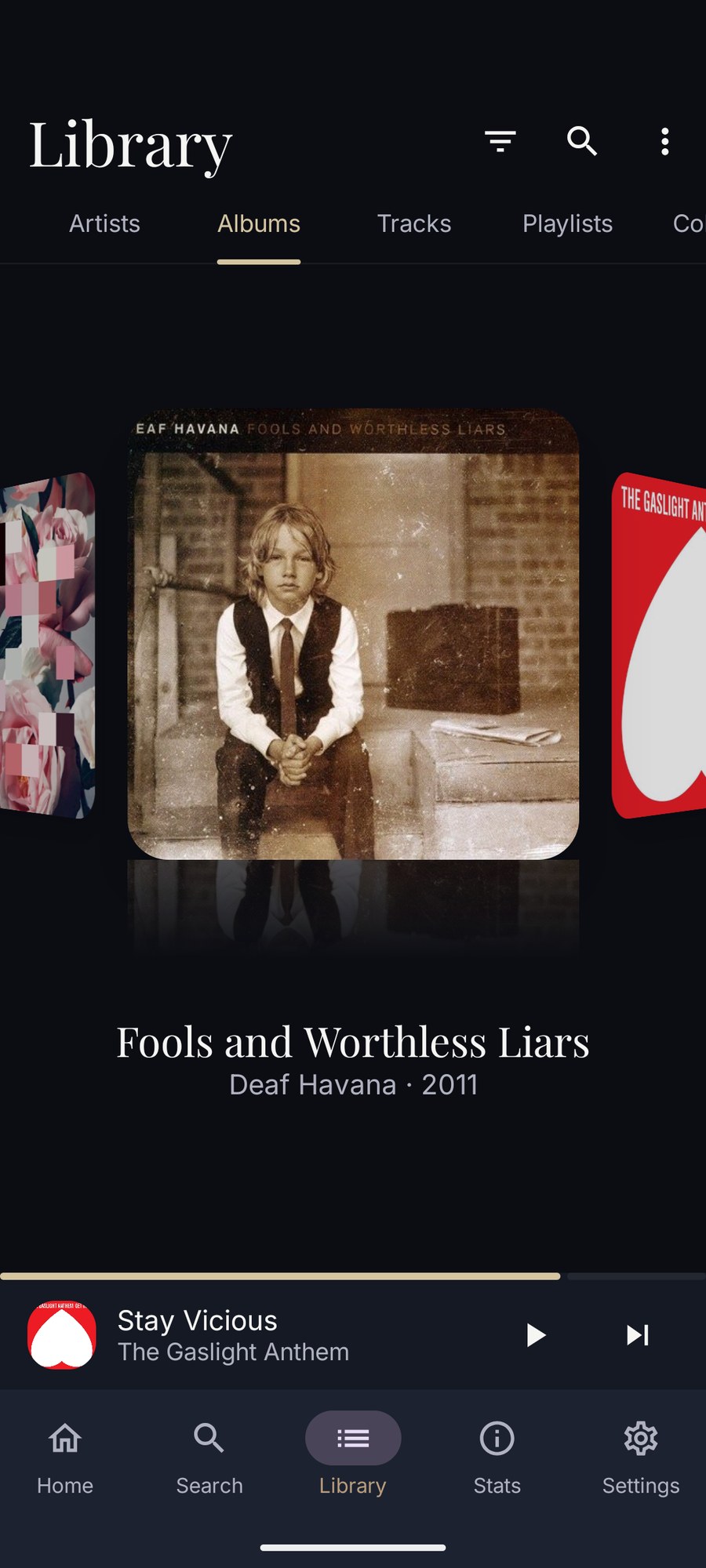
The Android album library in Cover Flow: one album cover large in the centre with its reflection, its neighbours turned away at either side, and the title, artist and year beneath.
Cover Flow
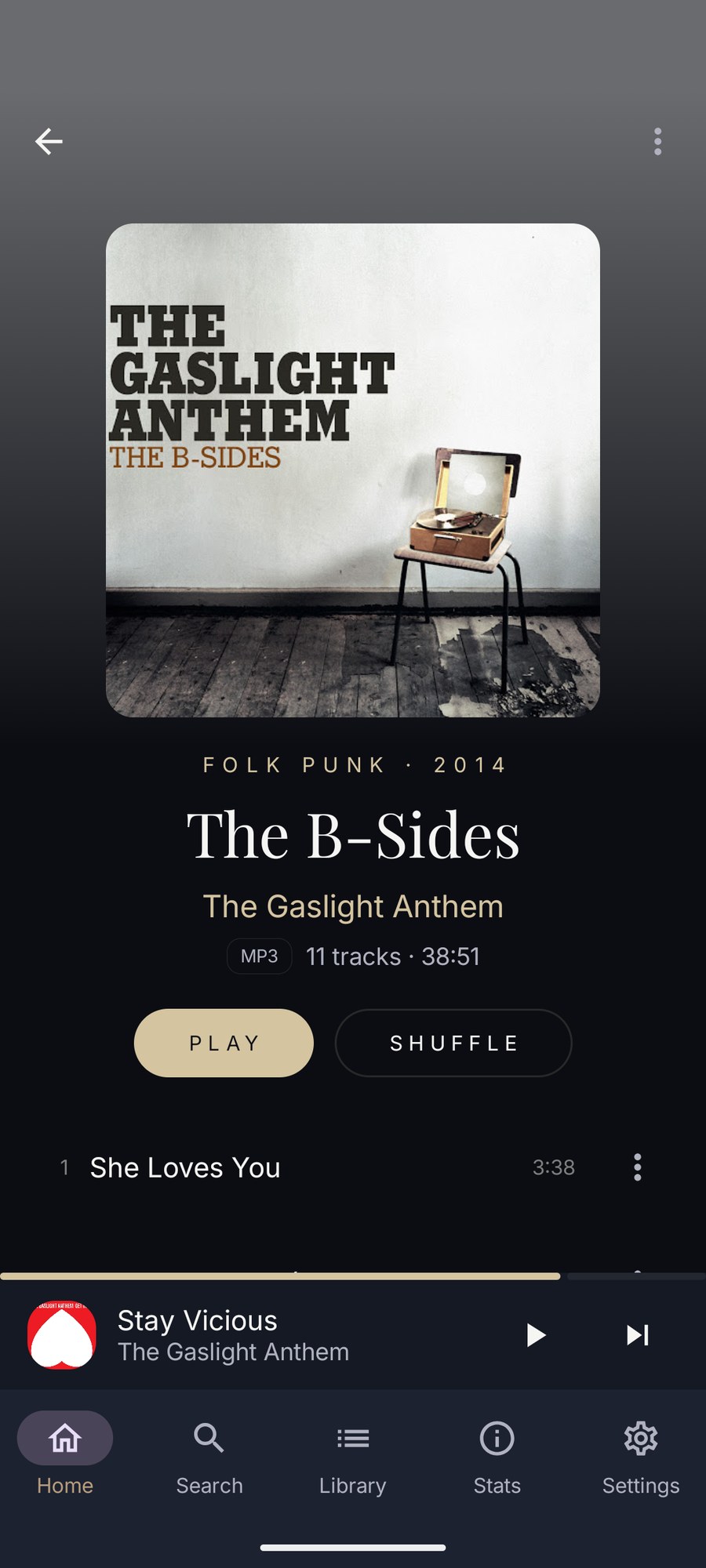
An album open on Android: artwork, genre and year, title and artist, the format and track count, Play and Shuffle buttons, and the first track.
Album detail
Now Playing on Android: large artwork on a background tinted from it, track, artist and album, the audio format, a scrubber, transport controls and the output button.
Now Playing
II · Good To Know

Version support

Today, Kanora starts at macOS 12 Monterey on the Mac, iOS / iPadOS 18.6 on iPhone and iPad, and Android 10 on Android phones. The Watch and Apple TV apps are active work, with their final OS floors to be published closer to release.

Standalone, and better with a Mac

The iPhone, iPad and Android apps each keep their own library of music you import, and work without a Mac. Add the Mac app and it becomes the centre of the collection: it rips CDs, handles the larger library work, and streams the whole library to every device you pair.

Clear status

This page sticks to the platforms Kanora can describe plainly today: what runs now, what version you need, and what each screen is best at.

III · Keep Reading

Want the thinking behind the shape of the product?

The philosophy page explains why Kanora is being built this way. The features page shows what the app actually does today.