
A companion to the iPhone app.
The Watch app talks to Kanora on your iPhone, not to the Mac. It needs the iPhone app, and everything it knows about your library comes through the phone.
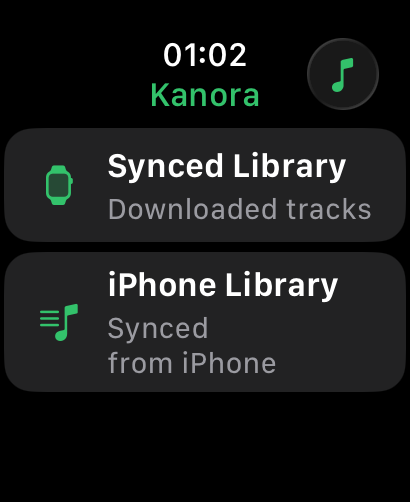
There are two ways to use it. As a remote, it browses the iPhone’s library and controls what the phone is playing. With music synced to it, the Watch plays that music itself. The two are kept separate, so you always know which device is playing.
What you can do with Kanora for Apple Watch.
A remote for the iPhone
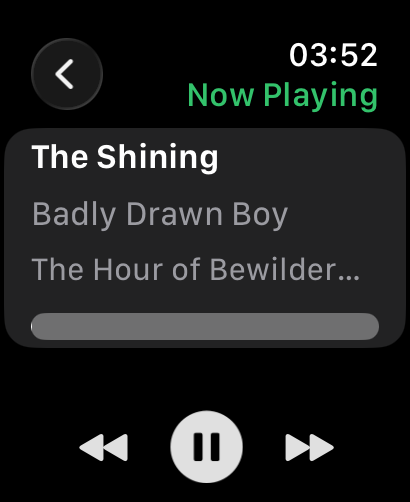
- Play, pause and skip what the iPhone is playing.
- Browse the iPhone’s library by artist, album and track, and start playback from the wrist.
- Now Playing on the Watch shows what the phone is playing.
Music on the Watch
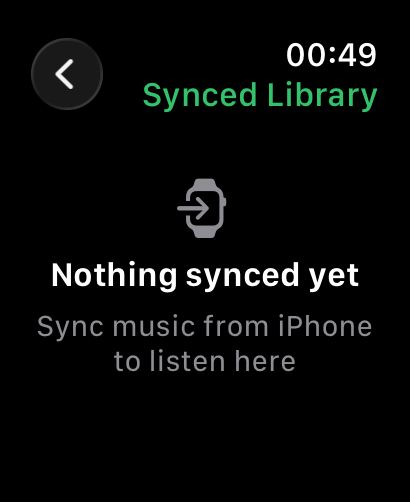
- Choose albums, playlists and tracks on the iPhone and sync them to the Watch.
- Play synced music on the Watch itself.
- Browse synced music in Cover Flow, with the Digital Crown or a swipe.
On the watch face
- A Now Playing complication in four sizes, which also shows in the Smart Stack.
- Tap it to go straight back to Now Playing.
What it doesn’t do yet.
Better to read it here than find out after you install it.
- It does not connect to the Mac directly, and does not work without the iPhone app.
- No playlists or search when browsing the iPhone’s library.
- Playing synced music with the iPhone switched off, or with the Watch screen off, has not been tested on a real Watch yet.
- Syncing music to the Watch is still being made reliable.
- Synced music is managed from the iPhone. There is no storage screen on the Watch yet.
- Now Playing is the only complication so far.
The features behind it.
Kanora on your other devices.
Mac
Apple Silicon and Intel Macs
Where the library lives: rip CDs, record vinyl, fix the details, and share it with your other devices.
iPhone & iPad
iPhone, iPad and CarPlay
A library of your own on the device, the Mac’s whole collection at home, and your albums in the car.
Apple TV
Apple TV, with a Mac
Browse the Mac’s library from the sofa, then play on the TV or let the Mac play to your hi-fi.
Android
Android phones
A library of your own on the phone, and your Mac’s whole collection over your home network.