Vinyl & cassette recording
Recording from vinyl or cassette only really becomes useful once the result stops feeling like an orphaned audio file on your desktop. Kanora's version of the feature is less about the red button and more about what happens immediately after it.
Recording sessions that start from a live source and end as tagged library entries, with enough metadata and import structure to make them feel native once captured.
Recording brief
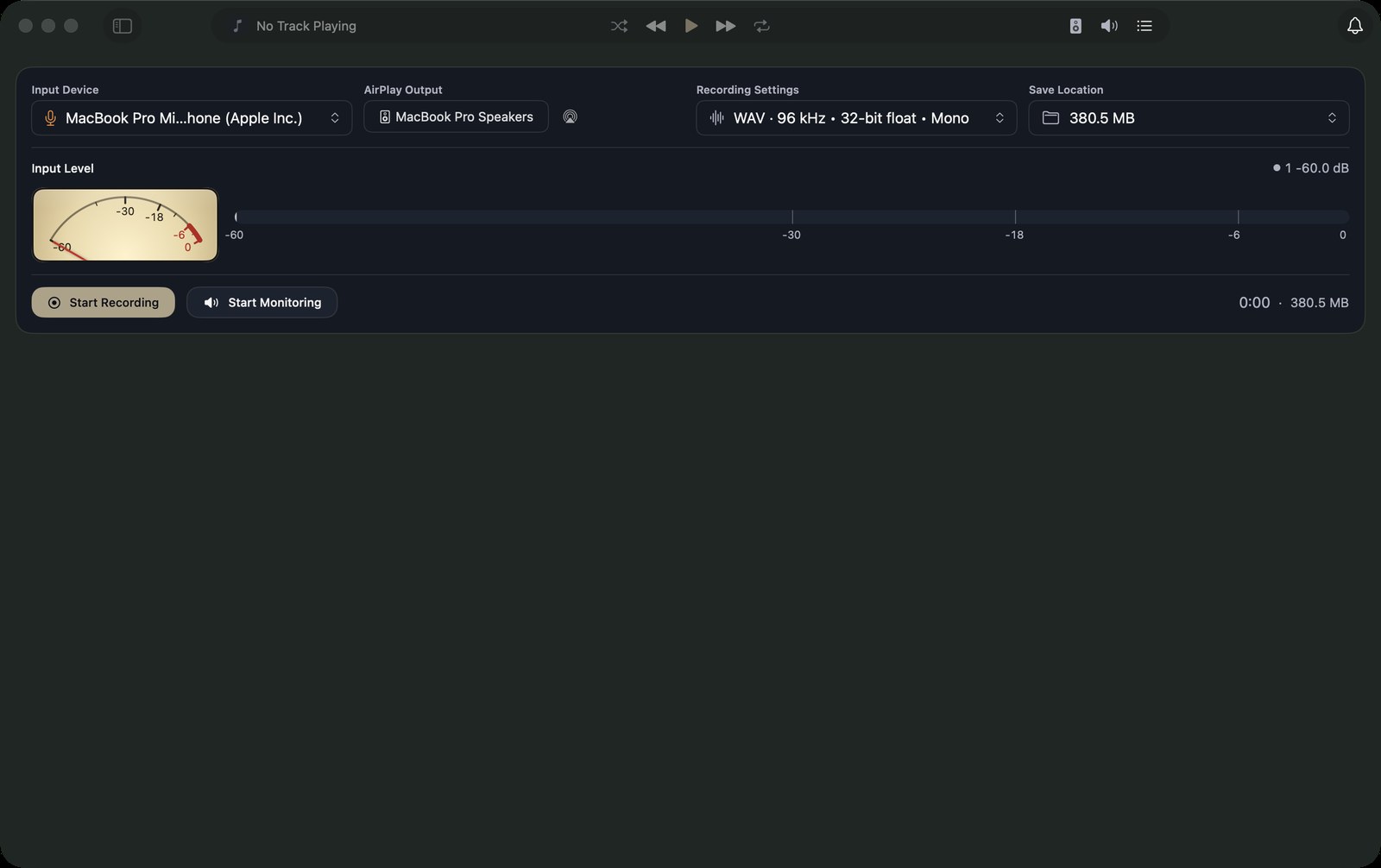
Start a recording session with a vinyl source playing. Show the monitoring view with levels responding, let a side run for a few seconds, then stop and show the metadata sheet appearing immediately. Fill in the album details while the context is fresh, then import the recording into the library where it sits beside the ripped CDs. The ending shot — the recording as a proper library entry — is the point.
What It Is
The intended flow is simple to describe even if it is not simple to build: monitor the source, make the recording, annotate it while the context is still fresh, then bring it into the library with enough structure that it sits naturally beside ripped discs and imported files.
That makes the feature useful for tape transfers, vinyl captures, radio recordings, or any other source that deserves a place on the shelf but does not arrive with neat metadata attached.
Why It Matters
A lot of personal audio history lives outside standard catalogue data. It might be a cassette someone made for you, a difficult-to-find pressing, or a transfer you only trust yourself to make. If software is serious about ownership, it needs to take that material seriously too.
The interesting part is not just preservation, but continuity. A recording should become part of the library you already use, not a side project that lives in a different app with different assumptions.
Current Shape
Kanora already has the beginnings of that pipeline in view, especially around live monitoring, recording state, and post-take metadata. The next step is smoothing the handoff so recordings feel fully at home once they land, not merely captured.
Capture with care
Pristine disc imports with MusicBrainz lookup, artwork fetching, duplicate warnings, and multi-disc awareness built into the ripping flow.
Metadata you can trust
Track, album, and bulk editors with live previews, artwork comparison, library-aware suggestions, and deliberate metadata changes instead of invisible cleanup.
Analog to AirPlay
Live input monitoring with device selection and routing, aimed at letting a physical source move through the same playback system as the rest of your library.