The first proper Kanora Watch app is deliberately modest. It does not try to put the whole music library on a tiny screen, and it does not try to make the Watch a second independent player yet. It starts with the thing a Watch is already good at: being the bit of the music app you can use without taking the phone out of your pocket.
That means three things. The Watch can show what is playing on the iPhone, it can send basic playback commands back to the iPhone, and it can browse enough of the iPhone library to start something playing from the wrist. That is the foundation the rest of the Watch work has to sit on.
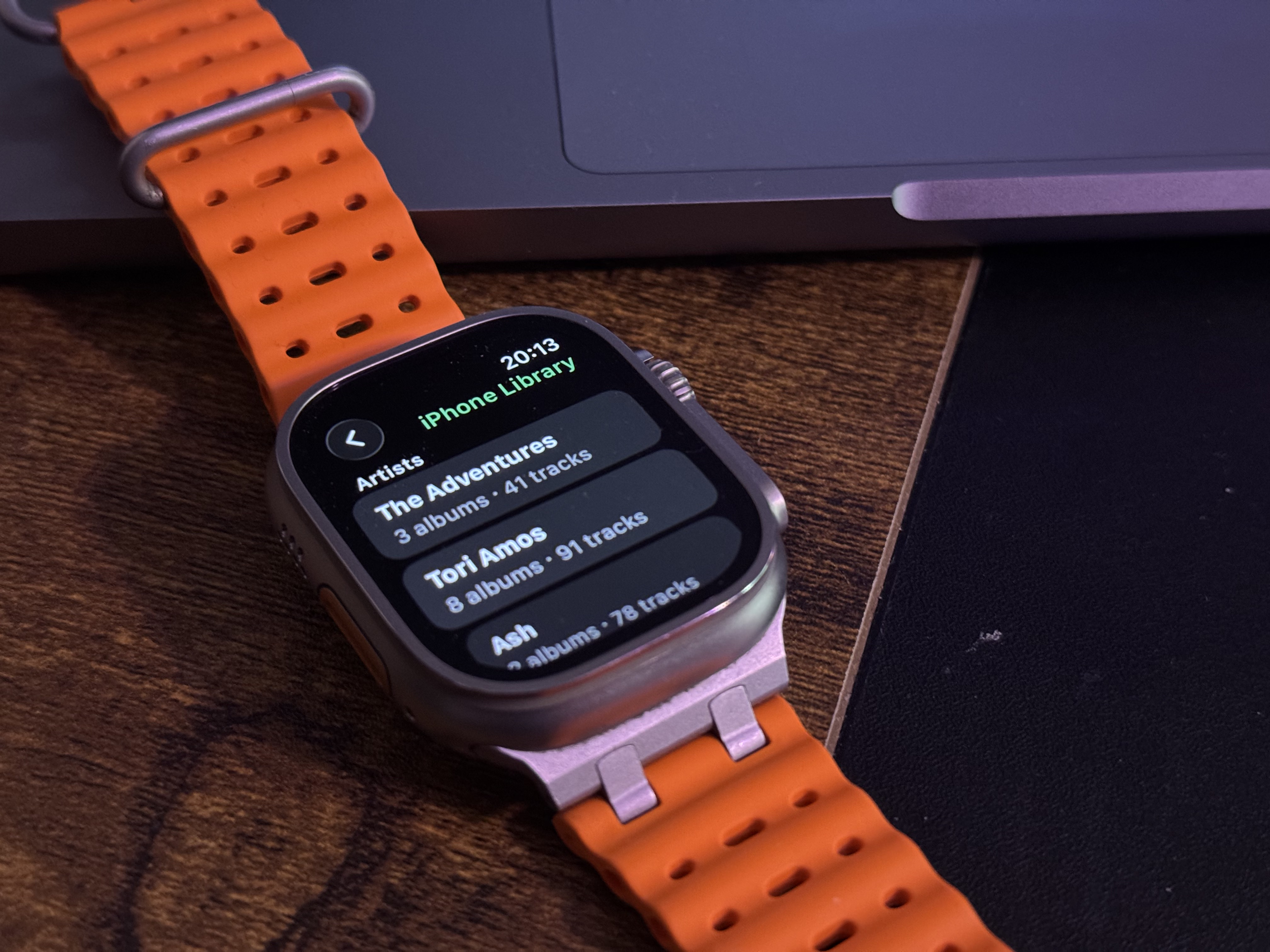 Kanora Watch app running on Apple Watch
A remote, not a second player
The important product choice was restraint. The earlier Watch scaffold had too many half-formed modes: remote host control, offline downloads, source-session selection, queue experiments, and a few ideas that were pointing in different directions. That made the target look more complete than it was, while hiding the basic question that mattered: can the Watch and iPhone agree on one current track?
For this first pass, the answer had to be yes before anything else. Audio still plays on the iPhone. The Watch reflects that playback state and sends commands to the same iPhone playback session. If the user starts a track from the Watch, the iPhone mini player should appear and show that track. If the user then picks another track on the iPhone, the Watch should update to that track. There should never be two songs layered on top of each other because the Watch accidentally talked to one playback engine while the phone UI talked to another.
That last failure was not hypothetical. The bug that prompted this work was rooted in ownership, not UI. Some fallback SwiftUI environment paths could create a second live ServiceContainer, which meant a second audio engine and a second Watch command bridge. The fix was to make the app have one explicit playback owner and one explicit WatchConnectivity owner, then route both phone UI and Watch commands through that same source of truth.
What the Watch can do now
The Watch app now has a focused iPhone companion mode. Open it while the iPhone is playing and it shows the current track, artist, album, playback state, and progress. Use the controls and the commands go back to the iPhone: play or pause, skip forward, skip back. If the phone is unreachable, the Watch says that plainly instead of spinning forever or pretending stale state is current.
It can also browse the phone library by artist and album, then start playback of a selected track on the iPhone. That matters because a remote control is much more useful when it can do the first action, not just the second one. Skipping a track is fine, but starting the album you actually want from the wrist is the point where the Watch starts to feel like part of the app rather than an accessory bolted onto the side.
Why start here
Starting with companion control kept the surface honest. WatchConnectivity has sharp edges: reachability can be wrong, activation is asynchronous, and foreground command messages are a different tool from background state transfer. For the first Watch release, the right contract was simple. Current Now Playing state moves from iPhone to Watch as the latest snapshot. Interactive commands move from Watch to iPhone when both sides are available. The Watch UI never blocks indefinitely waiting for the phone to behave.
It also kept the Watch app aligned with how people already listen. If the phone is nearby and already handling playback, the Watch should not try to become clever. It should show the track, offer the controls, and get out of the way. That is especially useful when walking, cooking, driving with the phone mounted, or listening at a desk with the phone somewhere just out of reach. The Watch is not the main library manager in those moments; it is the small control surface that should always be correct.
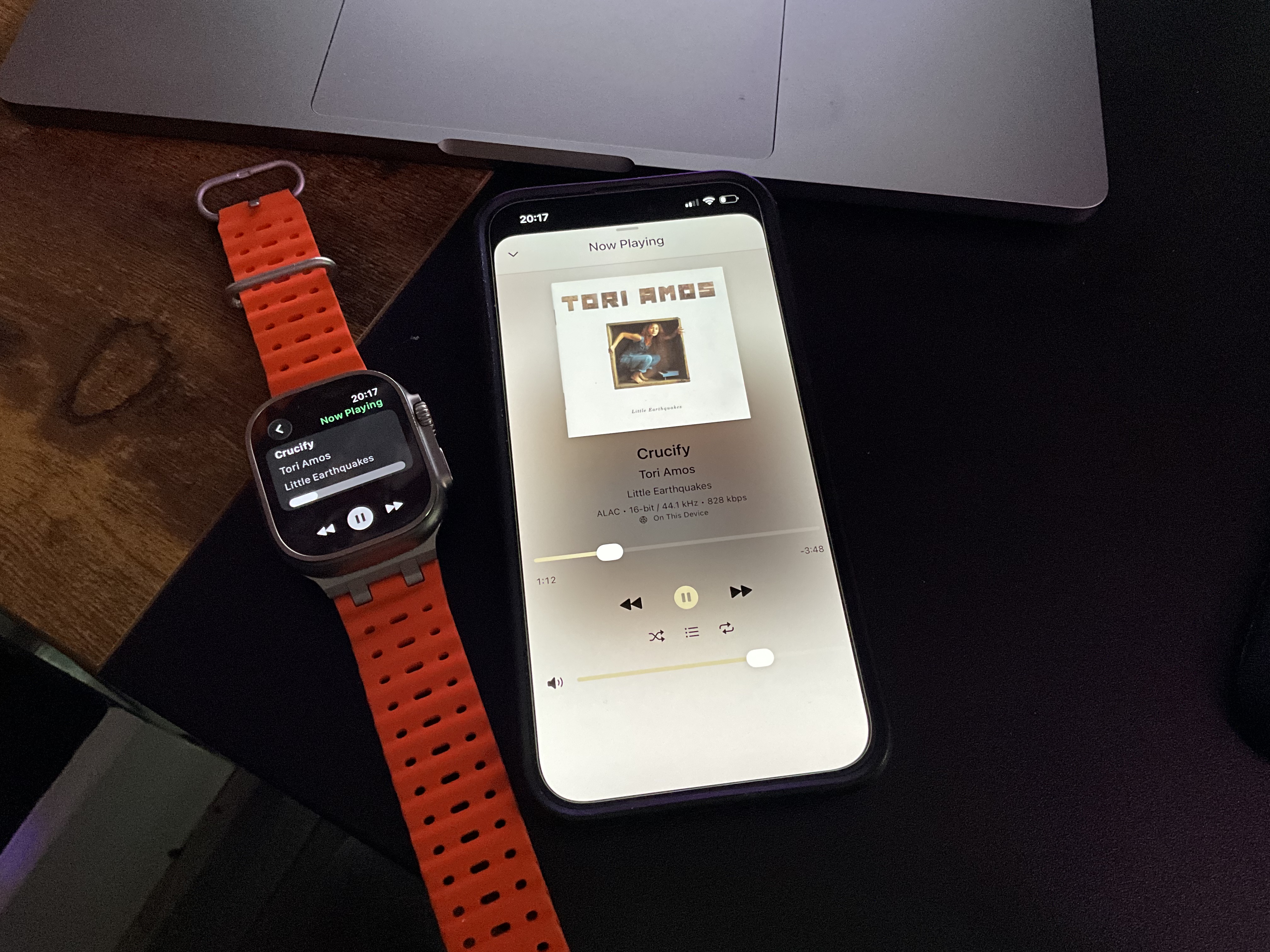 Kanora running on iPhone and Apple Watch together
What it does not do yet
This first version does not sync music to the Watch. It does not play from Watch storage. It does not offer Watch complications, Recently Played shortcuts, or a local library browser. Those are separate features because they have different failure modes. Local playback needs file transfer, storage accounting, background audio, Watch-local persistence, and a clear way to avoid confusing phone playback with Watch playback.
Keeping those out of the first companion pass made the next step cleaner. Once the Watch and iPhone could agree on what was playing, it became much easier to add a second, explicit mode later: On iPhone for companion control, and On Watch for music that has actually been synced to the Watch.
The first Watch app is not the end state. It is the baseline: one iPhone playback session, one Watch command path, one Now Playing truth. That is not flashy, but it is the part that has to be boring before the rest of the Watch story can be good.