
The first Kanora app for Apple TV is now a functioning companion app: it pairs with a Kanora host on the Mac, browses the Mac library from the sofa, and gives the room a proper large-screen music surface instead of making the phone or iPad the centre of attention.
This is still first-iteration work. The remaining verification is the boring but necessary kind: real Apple TV hardware, codec coverage, timing checks, and final build-system cleanup. The product shape is there, though, and it already answers the useful question: what should Apple TV do for a music library that lives on a Mac?
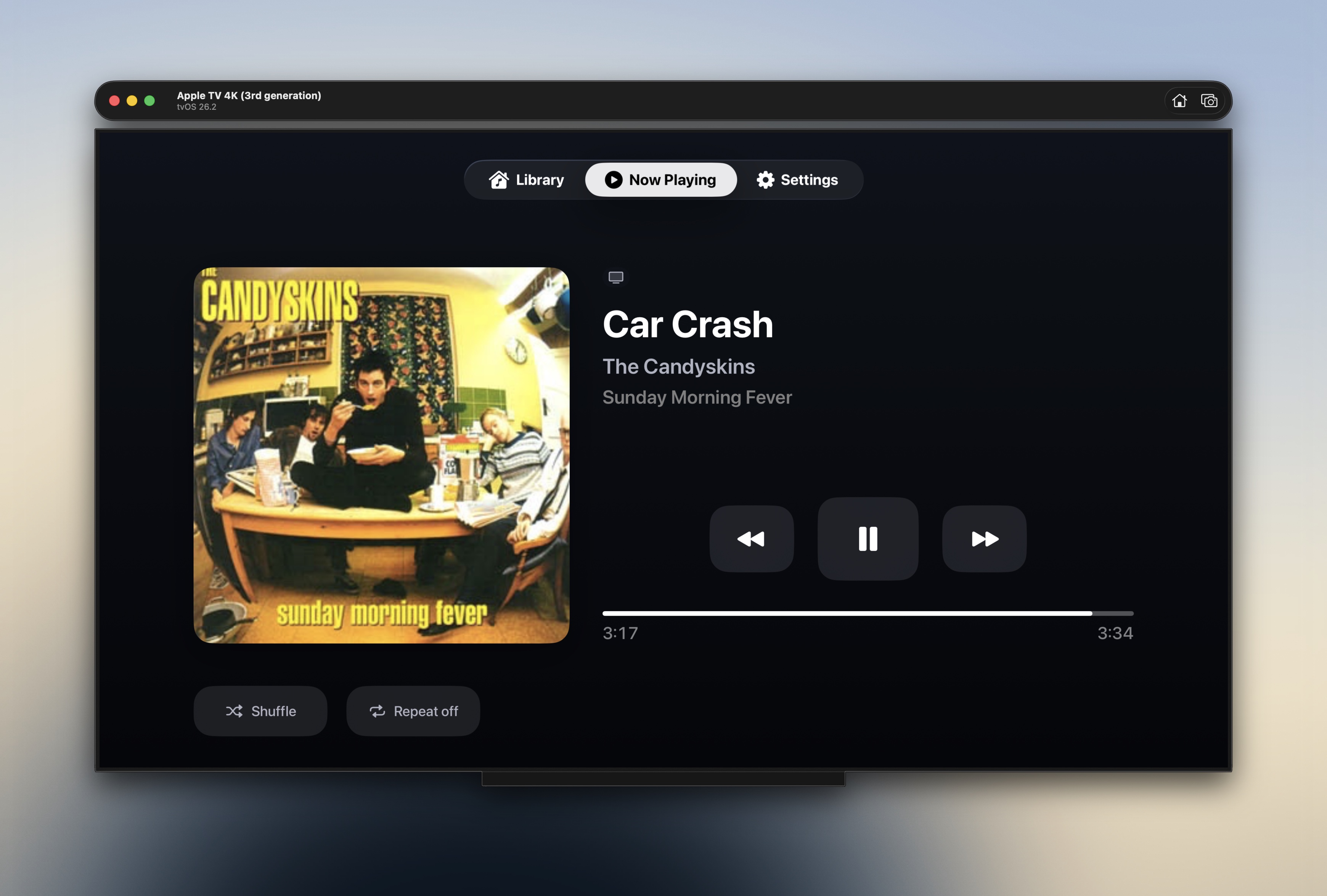 Kanora TV Now Playing screen on Apple TV showing album artwork, transport controls, and track progress
The Mac can stay the audio source
The primary mode is Room Controller. Apple TV is the display and controller, but the Mac remains the player, which matters if the Mac is already plugged into the serious part of the system: a DAC, an amplifier, proper speakers, or whatever stack has earned its shelf space.
Press Play on the Apple TV and the command goes back to the Mac. Audio comes out of the Mac's current output, while the TV shows the library, album artwork, Now Playing, progress, transport controls, and the current playback destination. If the Mac is wired into a hi-fi, the TV does not suddenly become the audio compromise in the chain; it becomes the thing everyone in the room can see.
That is the appeal for me. A phone remote works, but it drags the listener back into a private little screen, so when someone asks what is playing, the answer lives in your hand. Apple TV changes the social shape of the room: large artwork, track names visible from the sofa, and control that does not require staring down at the same device that also contains messages, emails, and everything else trying to interrupt the album.
The Apple TV can also play locally
The second mode is Native Playback. The Apple TV streams from the Mac host and plays through HDMI to the TV, soundbar, receiver, or whatever the Apple TV is connected to. The Mac provides the library and stream endpoint, but the Apple TV owns the queue and playback session.
That is useful in a different kind of room. Not every room has a Mac wired into the good speakers, and sometimes the Apple TV is already the best route into the sound system. Sometimes the TV room is the only room where music is a shared activity rather than headphones, a desk, or a phone on the kitchen counter.
The first version supports the practical controls: play, pause, previous, next, seek, and queue progression. It also reports native Apple TV listening events back to the Mac so plays through the TV count as part of the same library history, not as an invisible side channel. Codec support is being treated honestly: common Apple TV-friendly formats are the target, and unsupported formats should push you back toward Room Controller rather than freezing or lying.
Pairing should not involve typing tokens on a TV remote
The setup path is deliberately plain. The Apple TV discovers Kanora hosts on the local network, you choose the Mac, the Mac shows a six-digit code, and you type that code on the Apple TV. The app stores a bearer token in the Apple TV keychain, while the Mac keeps the paired-device record so access can be revoked later.
Manual host entry exists for networks where Bonjour is blocked or split across VLANs, but it still uses the same short-code flow afterwards. The goal is not to make local networking magical; it is to make the normal case short, and the awkward case recoverable.
Once paired, the TV app can browse artists, albums, tracks, playlists, and collections using the Companion API. It does not get Core Data or mount your library folder. It talks to the Mac through the same kind of boundary the Watch app and other companion clients need: data transfer objects, authenticated requests, and no shared private app state leaking across targets.
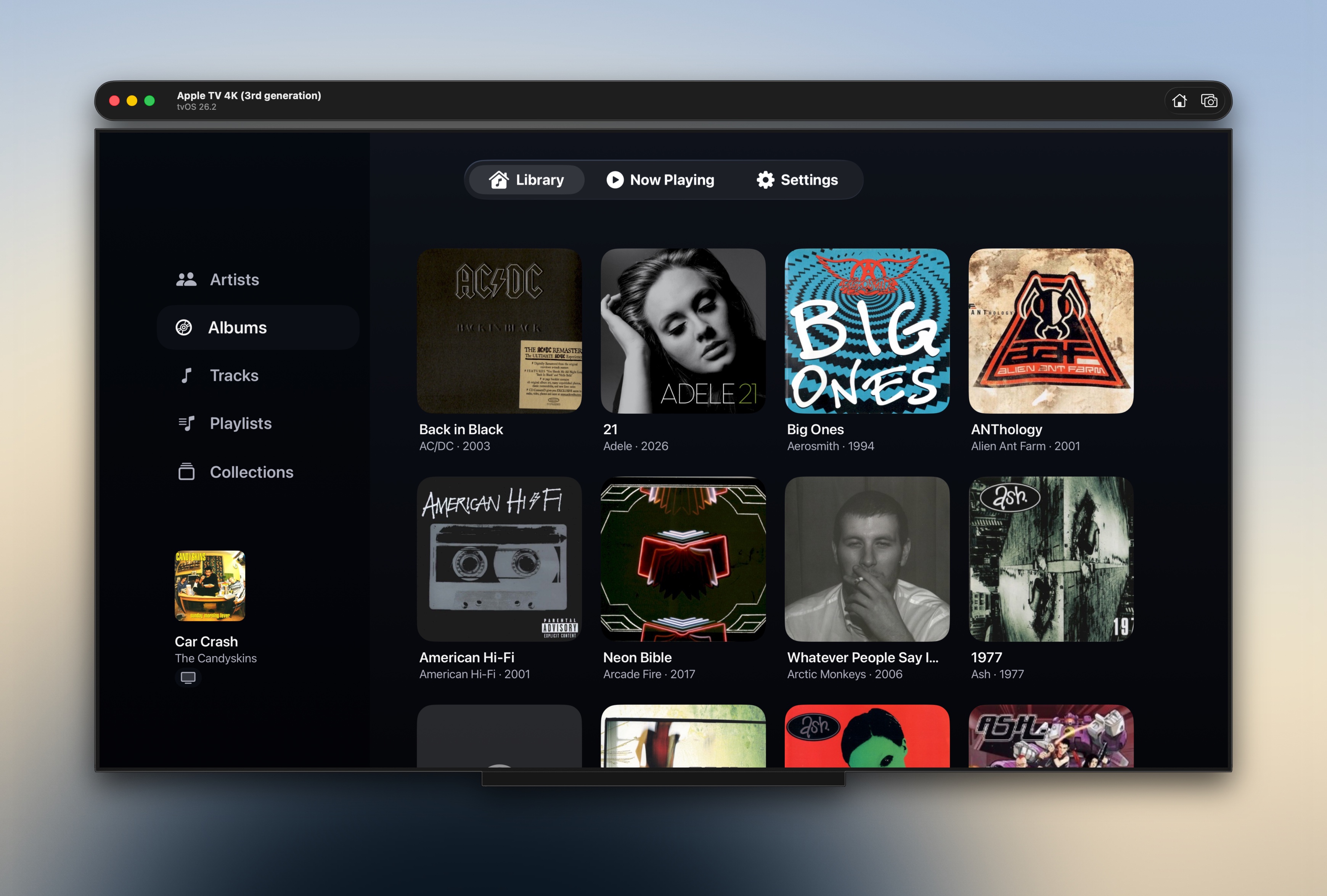 Kanora TV album browser showing a grid of album covers from the Mac library
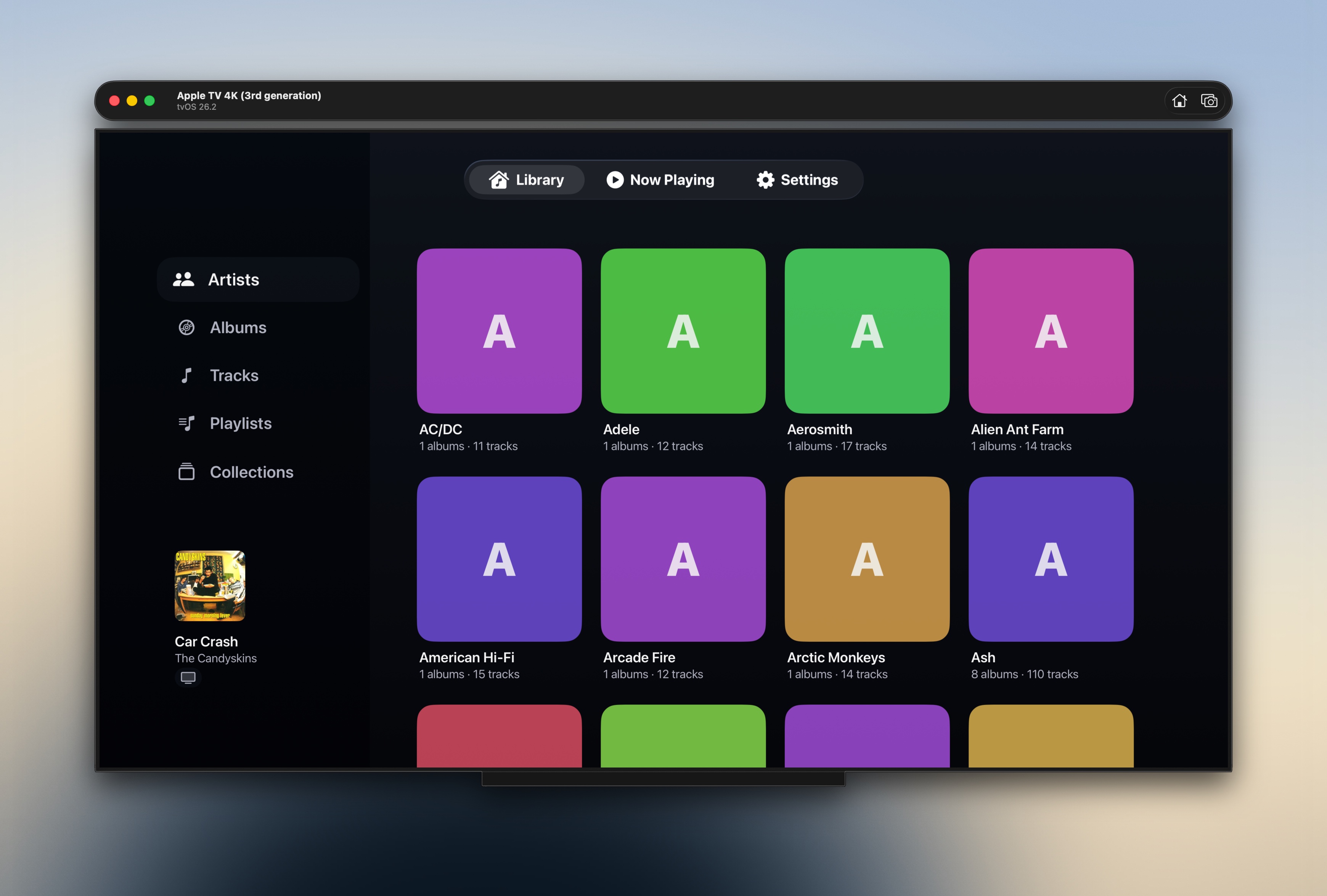 Kanora TV artist browser showing artist tiles and the currently playing track in the sidebar
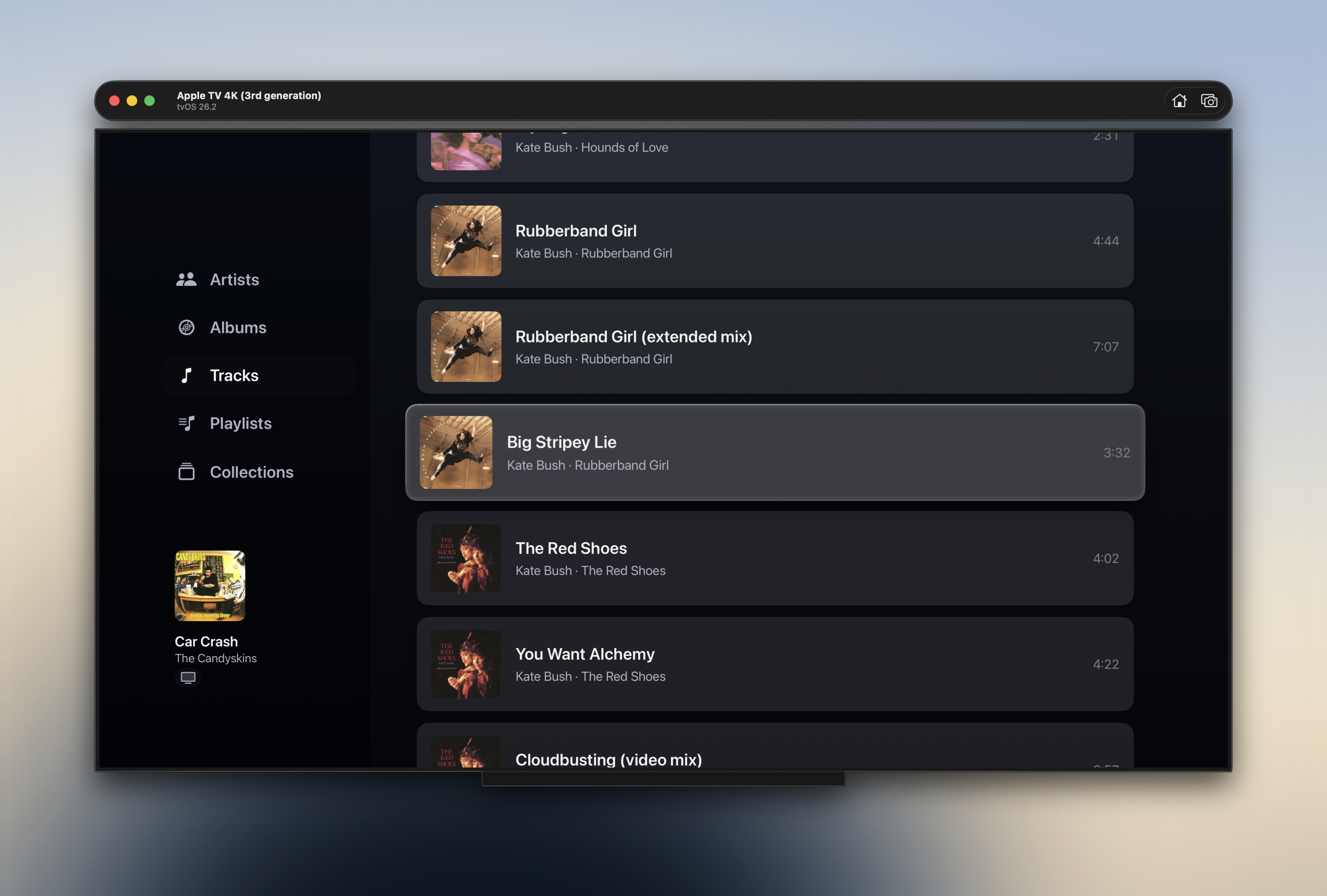 Kanora TV tracks list showing focus selection on a Kate Bush track
Two modes need one honest switch
The dangerous version of this feature would have one Play button and a vague hope that the user remembers where sound is going to come from, so Kanora does not do that.
The Apple TV app has an explicit mode switcher: Room Controller, or Apple TV. The selected mode is remembered per host, and Play affordances show where the audio will go. Switching from Room Controller to Apple TV does not stop the Mac, because that would be surprising. Switching from Apple TV back to Room Controller stops local TV playback and shows the Mac's current state.
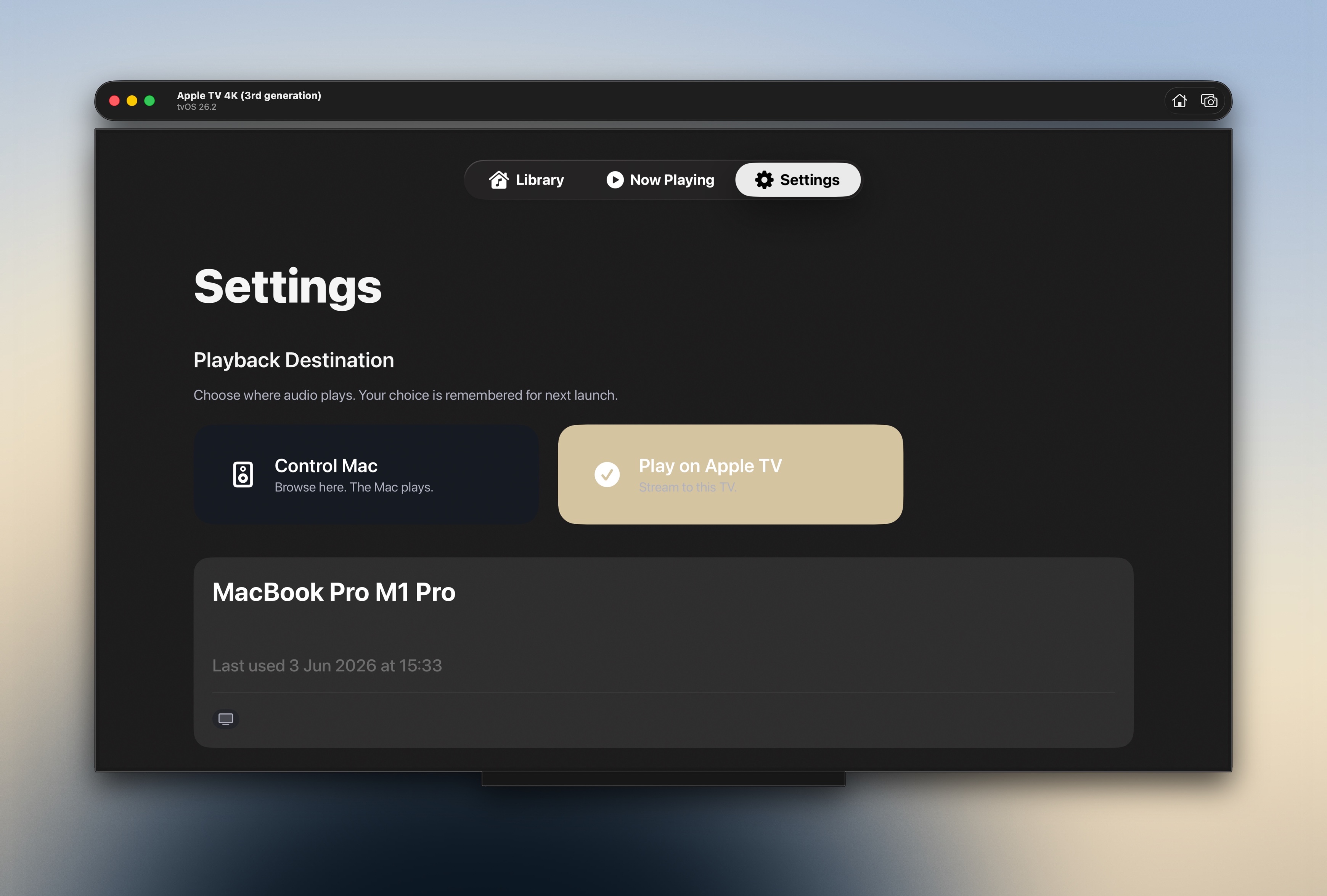 Kanora TV settings screen showing Control Mac and Play on Apple TV playback destinations
That small bit of ceremony is worth it, because once an app has more than one possible playback authority, ambiguity is not a design shortcut. It is a trust problem.
The bigger screen changes the product
Kanora has been growing outward from the Mac: iPhone, Watch, CarPlay, remote libraries, companion APIs. Apple TV is not just another client in that list, because it changes where the library lives in the house.
On the Mac, Kanora is a library tool and a player. On the Watch, it is a glanceable remote and, later, a small local music device. On Apple TV, it becomes a room surface, where big artwork matters and a Now Playing view can sit on screen while people talk, cook, read, or argue over which album should go on next.
There is a reason old hi-fi systems had visible sleeves, racks, displays, and physical controls. Music in a room is partly sound and partly presence, and a streaming app on a phone collapses that presence into a private control panel. A TV is not always the right answer, but when the room already has one, it can make a local library feel visible again.
Built fast, because the foundations were already there
This moved from idea to spec to functioning app in three evenings this week. That was not because tvOS is trivial, and it was not because AI can replace taste, architecture, or verification. It worked because Kanora already had the right pieces: a Companion API, host browsing, authenticated streaming, playback control endpoints, shared DTOs, and a project structure that makes new companion targets possible without dragging Core Data into places it does not belong.
The AI tooling helped with the mechanical work. Kanora-focused Claude and Codex skills turned the constitution, implementation conventions, domain notes, and review guardrails into something the tools could actually follow. Claude Pro and ChatGPT Plus were enough: no Max account, no huge monthly spend, no pretending the tools did the product thinking. The total subscription cost for the month is about £38, which is still less than a lot of people pay for one streaming family plan.
The useful part is not that a TV app appeared quickly. The useful part is that the app appeared quickly without forcing the product to forget what it is: the Mac still owns the library, the Apple TV can control the room or play locally, the user can see which is happening, and the files remain yours.
That is the first iteration. There is still hardware verification and polish to do, but the direction is now clear enough to put on the site: Kanora belongs on the TV when the TV helps the room listen, not when it gets in the way of the system that already sounds good.