
My iPod is an 80 GB classic from 2007. It holds about 3,100 songs, all put there by iTunes years ago, and for a long time the only software on my Mac that could change them was Music. Music fills an iPod from its own library. My library lives in Kanora.
Two new ways to do it share one engine. Encore is a small Mac app on its own: drag music in, check what will change, press Apply. Testers have had it since 28 October. Kanora for Mac has its own version, which does the job from inside the library, with Add to iPod on an album, an artist or a playlist. That part went through a 26-step test on my iPod on Friday, and it isn't in a released build yet.
Both are experimental. Both write only to the 2007 iPod classic, because that is the iPod everything has been tested on, with one known gap I come back to below. The screenshots here show each app's own sample music, taken with no iPod attached.
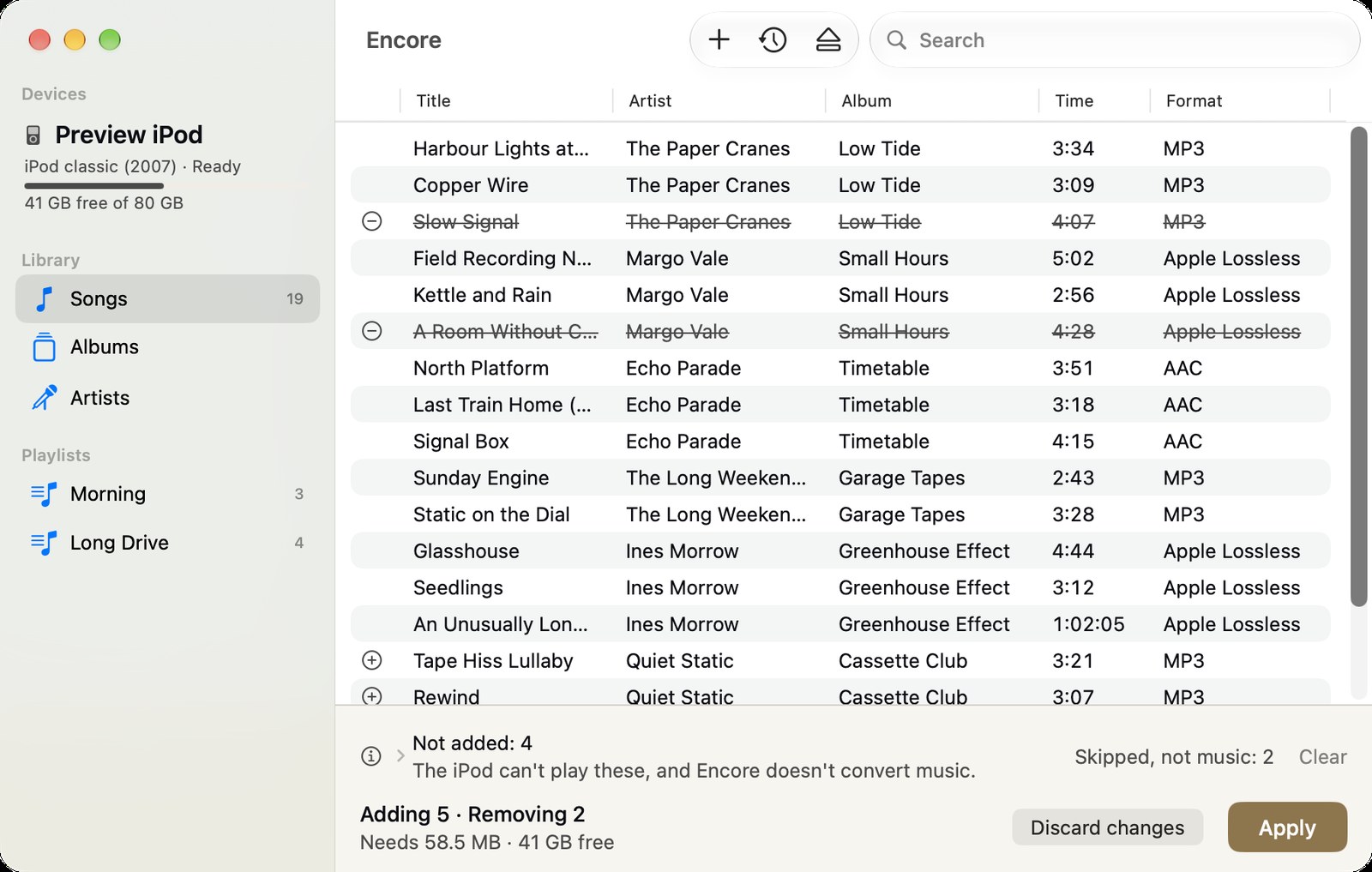 Encore with a sample iPod connected: its songs listed with artist, album, time and format, five songs staged to go on and two to come off, and the tray at the bottom showing the space needed and the Apply button.
Encore
Encore shows what is on the iPod: songs, albums, artists and playlists, with each song's length and format, plus the space left. You add music by dragging files or folders in from Finder, or with an open panel if you'd rather use the keyboard. MP3, AAC, Apple Lossless, AIFF and WAV up to 16 bits go on as they are. The iPod can't play FLAC, Ogg or Opus, and Encore doesn't convert music, so those are listed with the reason and left out.
Nothing is written straight away. Every change goes into a tray first, which shows what will go on, what will come off and how much space it needs. Apply writes it all in one go, and Encore backs up the iPod's database on the iPod before the first write. If anything goes wrong, a backup can be restored from the app.
It runs without Kanora. For now it is for testers with a 2007 classic and a folder of music.
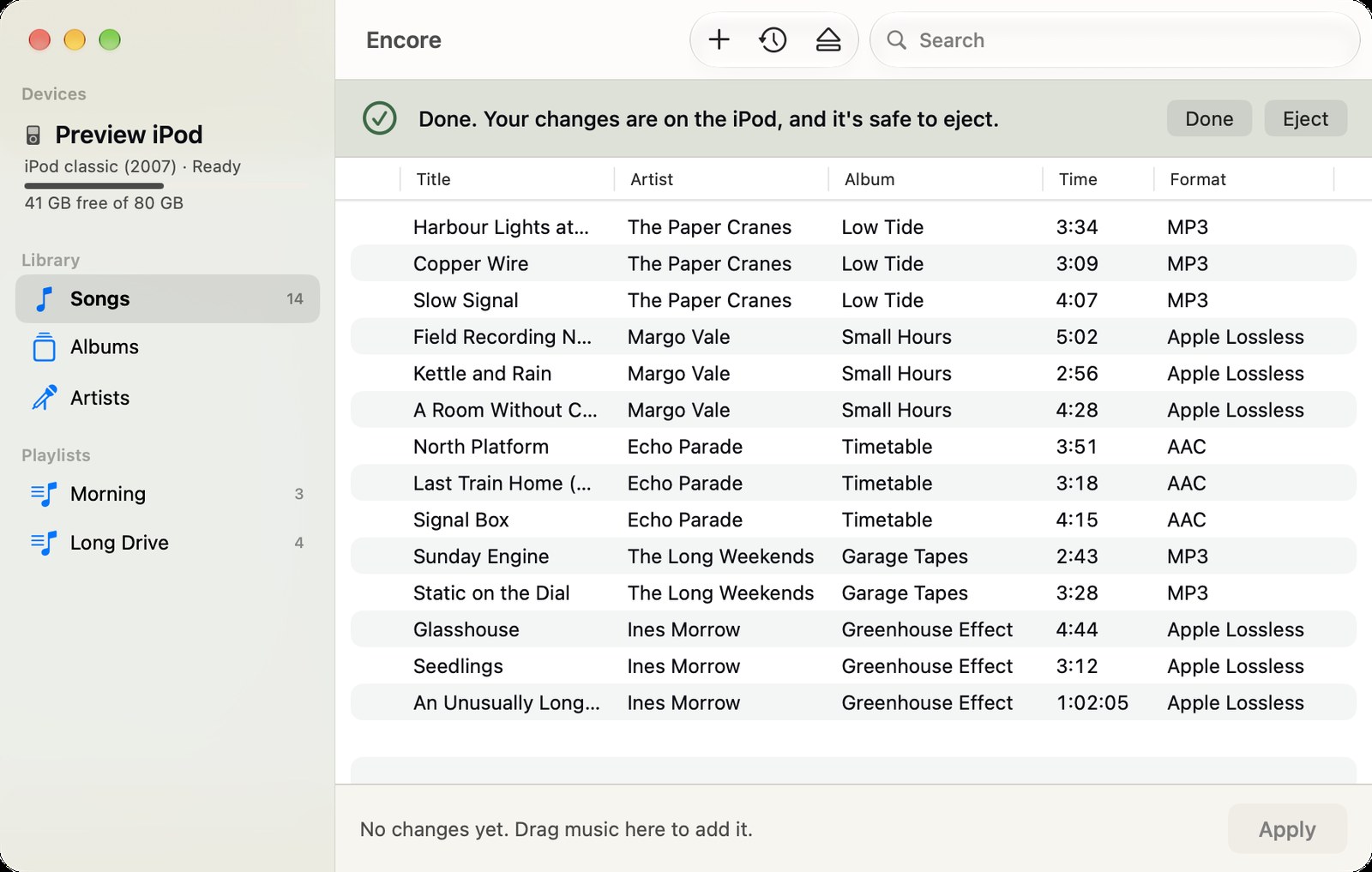 Encore after a write: the iPod is safe to eject.
Kanora for Mac
In the Kanora build under test, the iPod appears in the sidebar, under Devices. The first time you plug it in, Kanora asks you to choose it once in a normal Finder panel. That is the Mac's sandbox at work: a sandboxed app can only touch a disk the user has handed to it. Kanora remembers that permission for that iPod, so unplugging it, plugging it back in or restarting Kanora asks nothing further.
Putting music on works from the places you already are:
- Add to iPod on an album page puts that album on.
- On an artist page, it puts every album by that artist on.
- On a Kanora playlist, it puts the songs on and makes a playlist on the iPod in Kanora's order.
- Shift-Command-I does the same for whatever page is in front, from the Library menu.
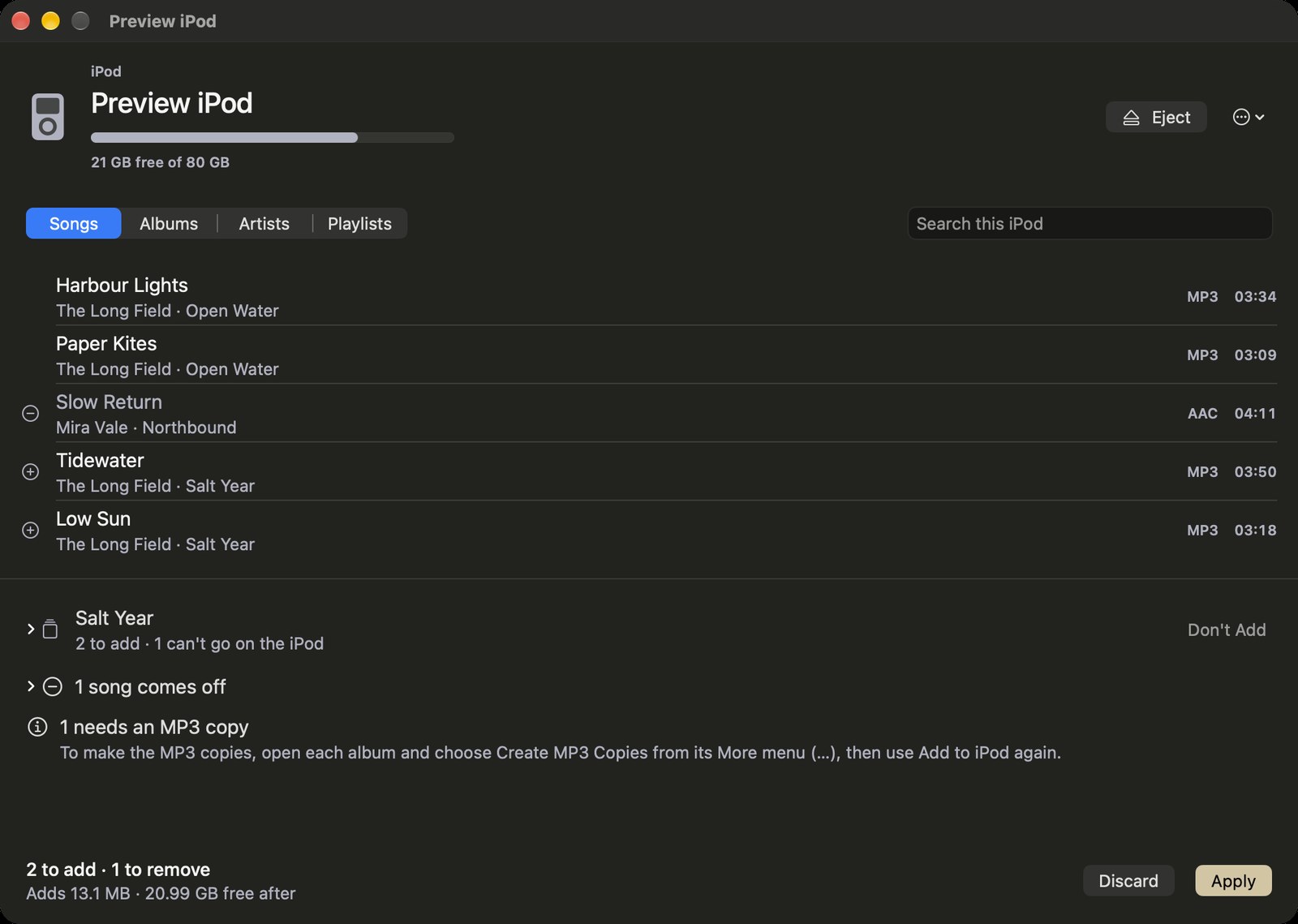 The iPod page in the Kanora build under test, with sample music: the iPod's capacity and free space, its songs with two marked to go on and one to come off, and the tray below with an album waiting, a song coming off, a song that needs an MP3 copy first, and Apply.
The same tray and the same Apply sit underneath. A FLAC album goes on as its MP3 copies if Kanora has made them. If it hasn't, Kanora says so, points at Create MP3 Copies, and writes nothing from that album.
There is no drag and drop onto the iPod in Kanora, on purpose. Dragging files is what Encore is for. Kanora adds music from the library you have already organised.
Knowing what is already there
Adding an album that is already on the iPod does nothing, and the tray says so. This took the most work to get right.
For music Kanora puts on, it keeps no list on the Mac. Each song in Kanora has a permanent ID, and the ID Kanora writes into the iPod's database is worked out from it. Next time, Kanora works the same ID out again and finds it on the iPod. The iPod itself is the record.
For the music iTunes put there, there is no Kanora ID to find. Kanora matches on title, artist and album, with the length within two seconds. Songs with blank tags never match, so an untagged file can't stand in for one of yours.
Why there are two
On 24 October the plan was a separate app only. The thinking was that a sandboxed Mac app can't write to an iPod: macOS refuses it access to the disk, and the part of macOS that syncs iPods takes the iPod over when it appears. So the iPod engine went into a standalone app, Encore.
Then I measured both claims on my iPod. Once you choose the iPod in a Finder panel, the sandbox lets an app read the database, write files, read them back, delete them and eject the device. And on macOS 26, the syncing part of macOS never ran unless I selected the iPod in Music.
So the same engine moved into Kanora as well. Kanora is still sandboxed and asks for no new permissions. Encore carries on as the simple way in.
Testing it on the real thing
Software that writes to a nineteen-year-old iPod I care about gets tested on that iPod. Before either app wrote anything, I copied the iPod's database to the Mac, along with a list of every music file on it and its size and date.
The iPod's database is fussy. The 2007 classic refuses a database unless it carries a checksum worked out from that iPod's serial number. The engine reads my iPod's database and writes it back identical, byte for byte, and after Kanora's first write and again at the end of its run, the database passed the engine's own checker and carried the right checksum.
Encore's run added 507 files, made a playlist and took all 507 off again. Once they were off, the database was byte for byte the one I started with, and every one of the other music files had the same size and date as before.
Kanora's run on Friday was 26 steps, using a signed, sandboxed build with nothing special about it. 22 passed, 3 were skipped and 1 is still open. What it covered:
- The permission: asked once, remembered after unplugging and restarting, and turning it down leaves the rest of Kanora alone.
- Albums, artists and playlists going on, by mouse and by keyboard alone.
- Music already there shown as already there, both what Kanora had put on and what iTunes had.
- Quitting Kanora halfway through a write. Kanora refuses, explains, and finishes the write.
- Another app writing to the iPod while Kanora had changes waiting. Kanora noticed before writing anything, read the iPod again and kept my changes.
- Restoring a backup.
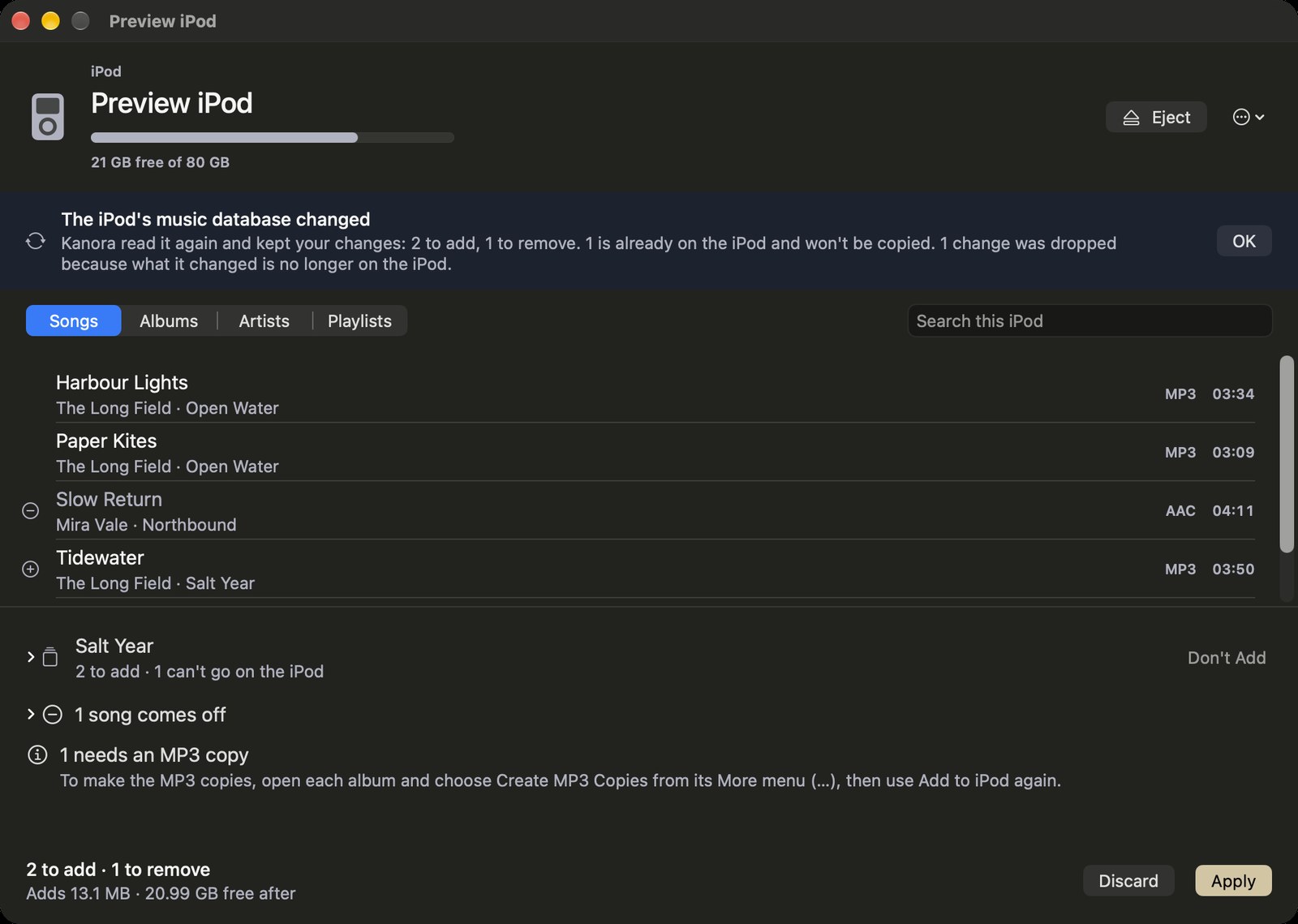 Kanora's iPod page after the iPod's music database changed, with sample music: a notice that Kanora read it again, kept the changes still waiting, and dropped one because what it changed is no longer on the iPod.
It found three bugs, all fixed the same day and checked again on the iPod. Shift-Command-I did nothing until you had opened the Library menu once; the notice confirming Add to iPod sat under the toolbar where you couldn't close it; and the release build no longer compiled with the latest Xcode, which was older than the iPod work. Three steps were skipped. Two needed music I don't have, and one was blocked by an unrelated bug that has its own fix waiting. Automated tests cover what all three check.
The open step is a question about Music. On macOS 26, selecting the iPod in Music made Music rewrite its database. On macOS 27 it didn't, so I still don't know whether Music keeps a Kanora playlist's ID when it does rewrite. If it doesn't, the next Add to iPod makes a second playlist instead of extending the first.
Claude wrote Kanora's side, over 42 commits between 28 and 30 October, against a written specification and plan, with a separate review at each step. I plugged and unplugged the iPod.
Which iPods come next
Encore and Kanora write to one iPod model. Other models they can identify show up read-only, with the reason. That rule stays: a model becomes writable only after a test session on that model, on real hardware, passes. I'm collecting the hardware now.
The iPods fall into groups by what their database asks for.
The same checksum as mine. The 2008 classic (120 GB), the 2009 classic (160 GB), and the nano 3rd and 4th generations want a checksum built from the serial number, which the engine already makes. I think the 2009 classic wants exactly what mine does, but the engine currently files it under a different checksum, and the first session on a real one will settle which is right. The nanos need a read-only check first, that their serial number is the one the checksum is built from.
No checksum at all. The iPod with video (5th and 5.5th generation), the minis, the first and second nanos, the photo and colour iPods and the 4th generation accept any well-formed database. The risk there is different: older software on the iPod may reject something a 2007 classic accepts. That is what each session is for.
Out of reach. The nano 5th generation needs a checksum that only Apple's software can set up. The 6th and 7th generation nanos use one nobody has published. The shuffle has a different database and no screen, the first two iPods are FireWire only, and the iPod touch is an iOS device.
I'm looking for a 2009 classic first, then an iPod with video, then a 2008 classic, then the nanos, with the minis later. Each gets tested as it arrives.
One fix comes before any of that and needs no hardware. When an iPod doesn't say which year it is, the engine can take a 2009 classic for a 2007 one, and then allow writes. Closing that comes first, so an untested model can't become writable by accident. The plan is also to read free space from the disk itself, so iPods that have had their storage upgraded report what they really hold.
I've also been looking at whether Kanora on iPhone and iPad could fill an iPod through the Files app. That is an idea for now, with real obstacles.
Other music players aren't planned. If you'd like one, tell me which.
What it doesn't do yet
- Artwork. Songs go on without their covers for now; it is planned.
- The iPod's own playlists in Kanora. Kanora edits the playlists it made and leaves the others alone.
- Play counts. What you play on the iPod doesn't come back into Kanora.
- FLAC without copies. Converting on the way to the iPod is the next part of the work. Until then, make the MP3 copies first.
- Other iPods. As above, one model at a time.
Encore is available to testers now. Kanora's iPod support is Mac only, sits under Settings, Experimental Features, and isn't in a released build yet. If you have an iPod classic and want to try either, the testing page says how to get in touch.