Features09
Experimental

iPod classic

An iPod classic still holds a lot of music and plays it with no signal and no subscription. Getting music onto one from a current Mac has meant letting Music manage it. Kanora now has its own engine that writes the iPod’s database. Encore, a small app on its own, uses it today. Kanora for Mac has its own version, tested on a real iPod and not in a released build yet.

What This Means

Encore lists, adds and removes music on a 2007 iPod classic and writes every change in one go. iPod support inside Kanora for Mac is being tested on a real iPod and is not in a released build yet.

In the app

What it looks like today.

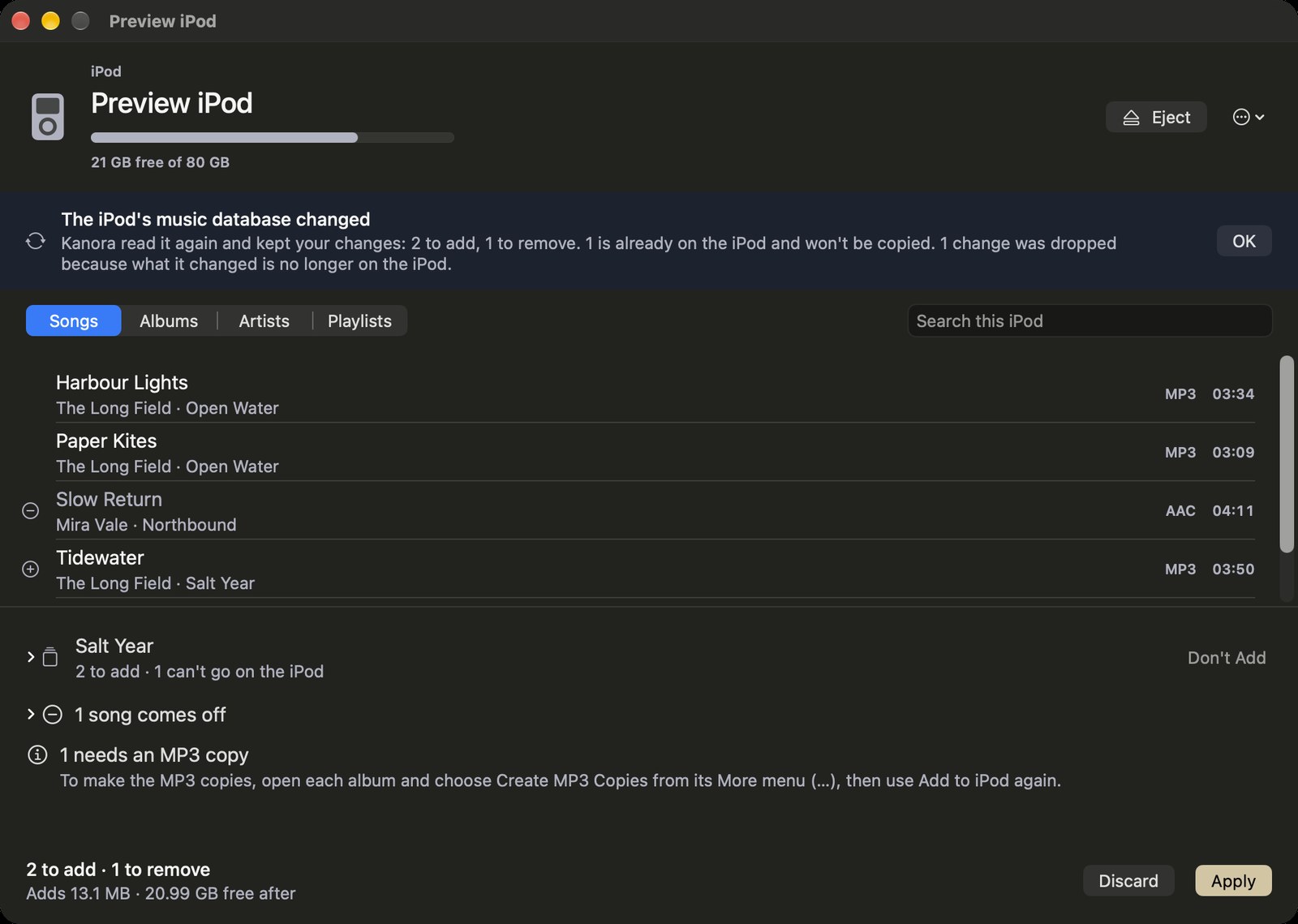
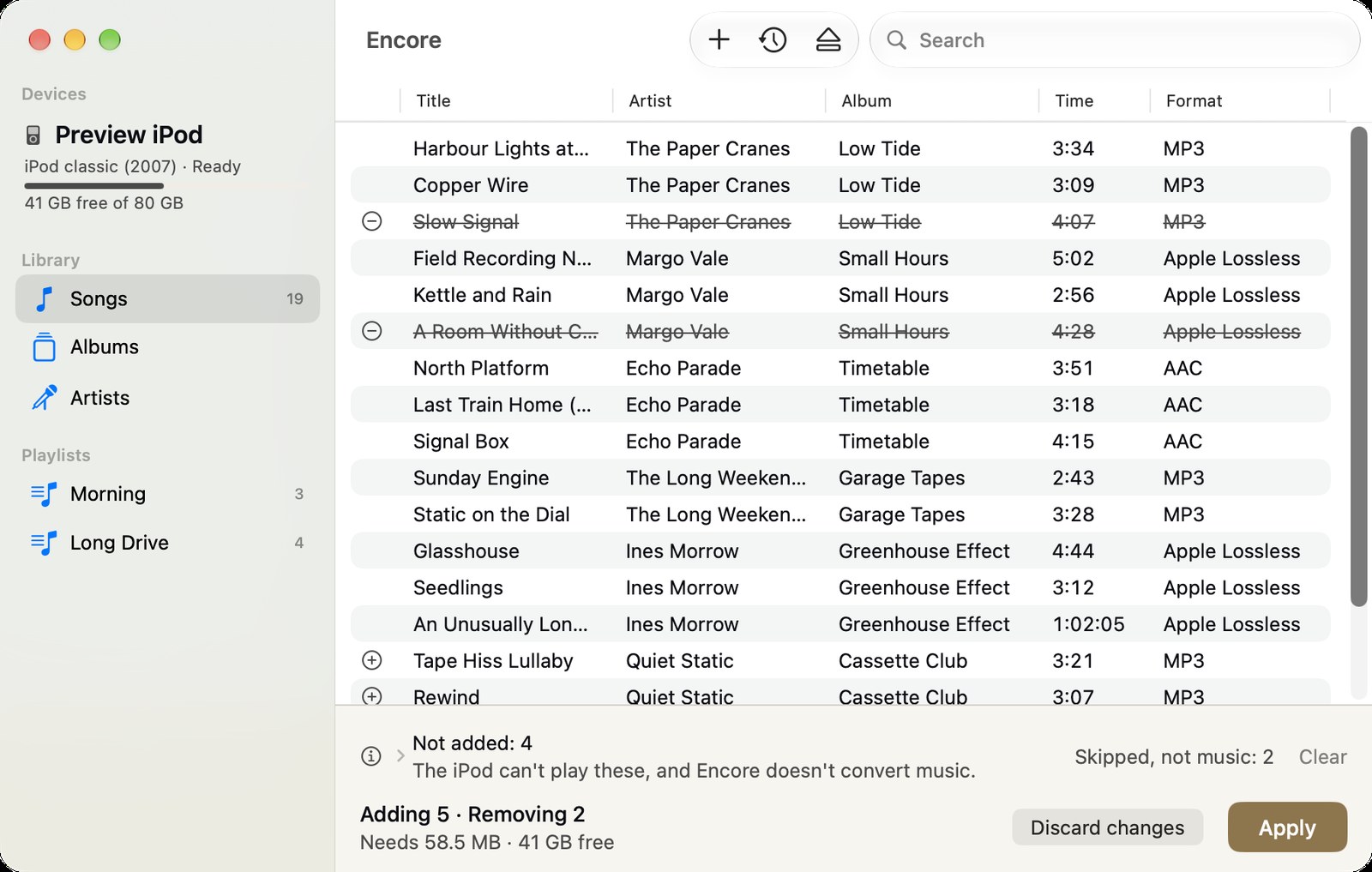
The first three are Kanora for Mac’s iPod page from the build under test, which is not released yet. The rest are Encore 0.1. No iPod was attached, so both show invented sample music from the apps’ own preview modes.
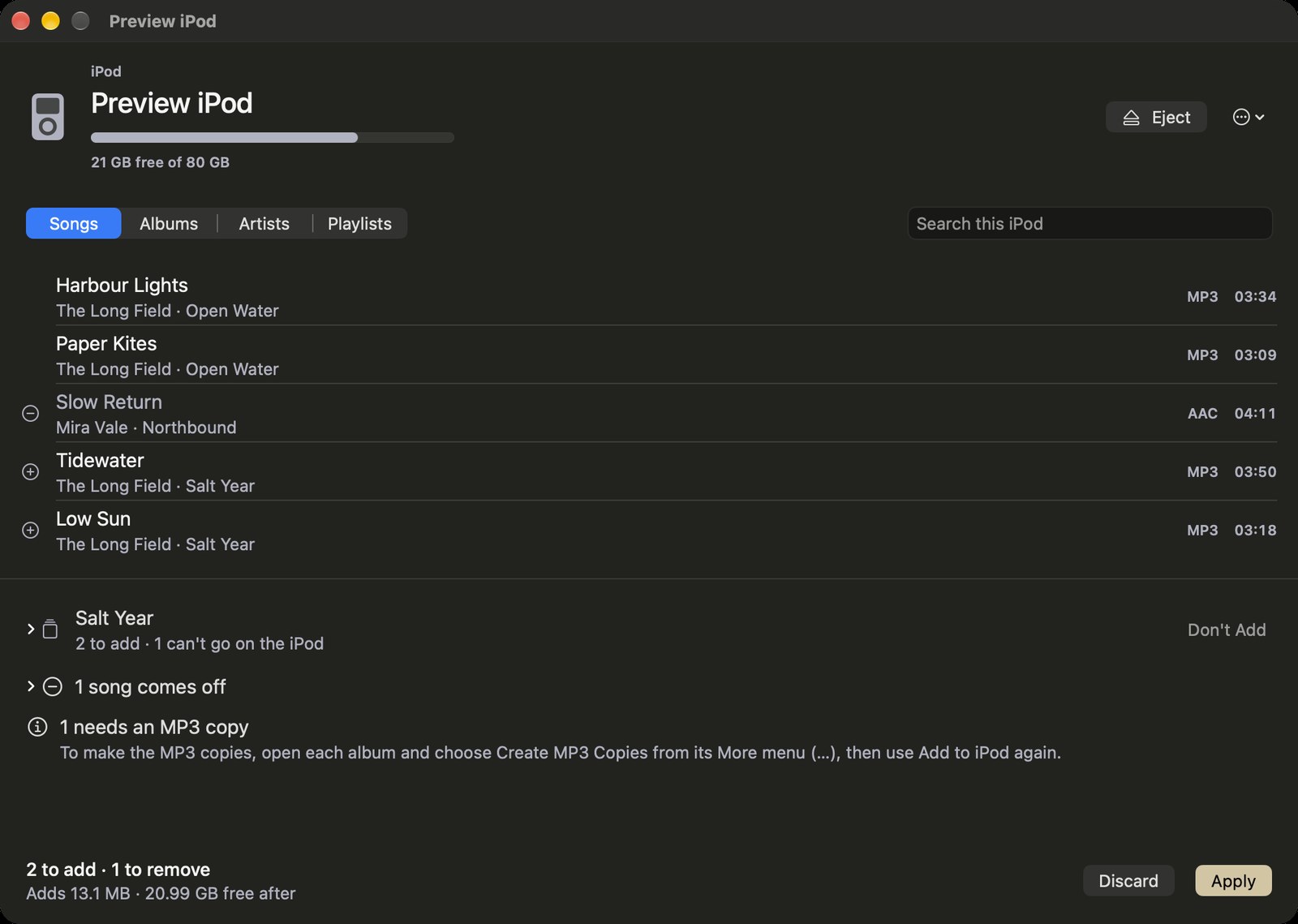
The iPod page in a test build of Kanora for Mac, with sample music: a sample iPod’s name, capacity and free space, Songs, Albums, Artists and Playlists tabs, a song list with two songs marked to go on and one to come off, and the tray below showing an album waiting to go on, a song coming off, a song that needs an MP3 copy first, the space it adds, and Discard and Apply.
macOSiPod page, build under test
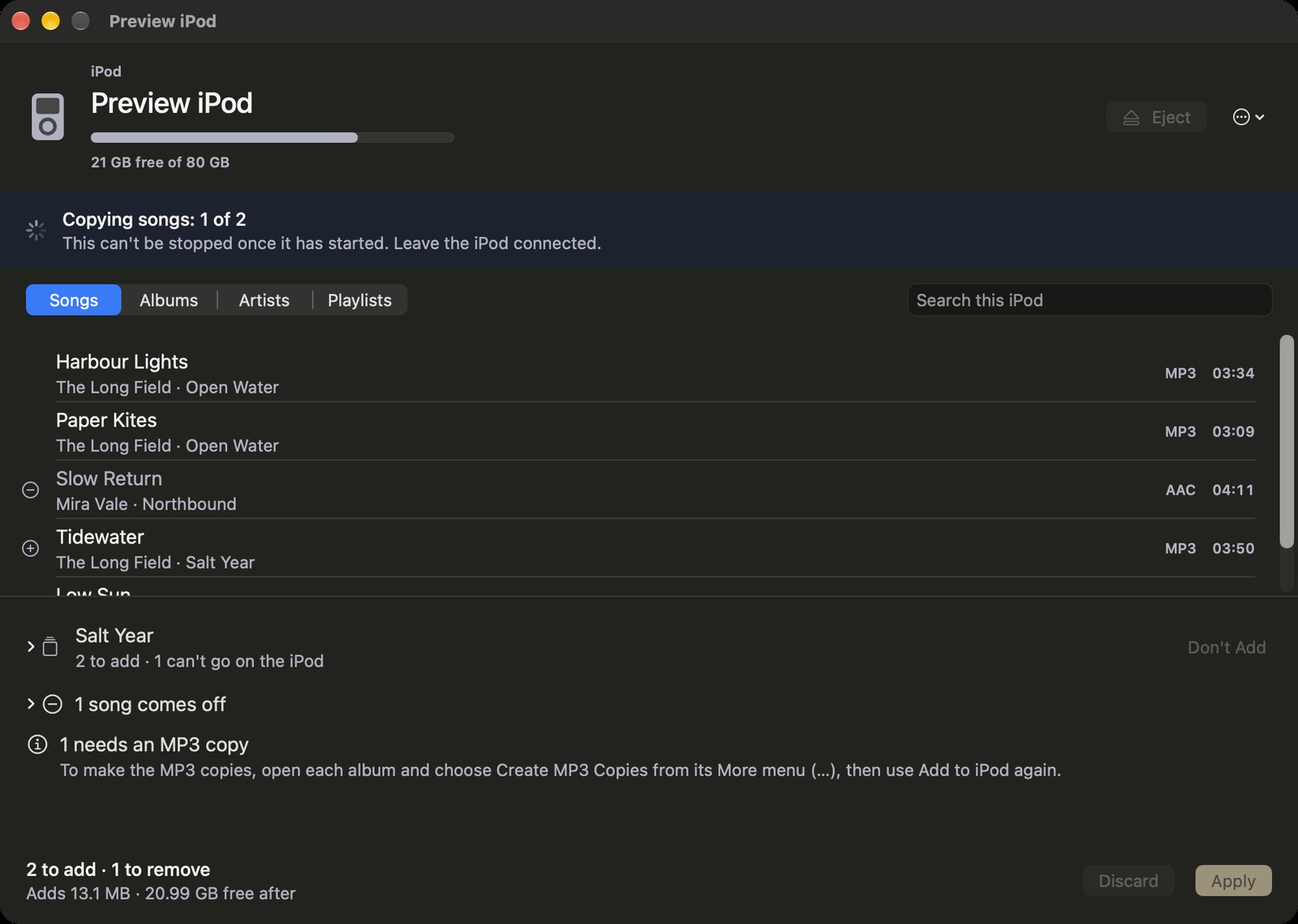
The iPod page in a test build of Kanora for Mac, with sample music, while it writes: copying songs, 1 of 2, with a note that the write cannot be stopped once started and the iPod must stay connected, and Eject, Discard and Apply greyed out.
macOSWriting, build under test
The iPod page in a test build of Kanora for Mac, with sample music, after the iPod’s music database changed: a notice that Kanora read it again and kept 2 to add and 1 to remove, that 1 is already on the iPod and won’t be copied, and that 1 change was dropped because what it changed is no longer on the iPod.
macOSChanged elsewhere, build under test
Encore with a sample iPod classic: its songs with artist, album, time and format, two songs marked to come off and new ones marked to go on, a note that four files the iPod cannot play were left out, and the tray showing the space needed and the Apply button.
EncoreChanges waiting
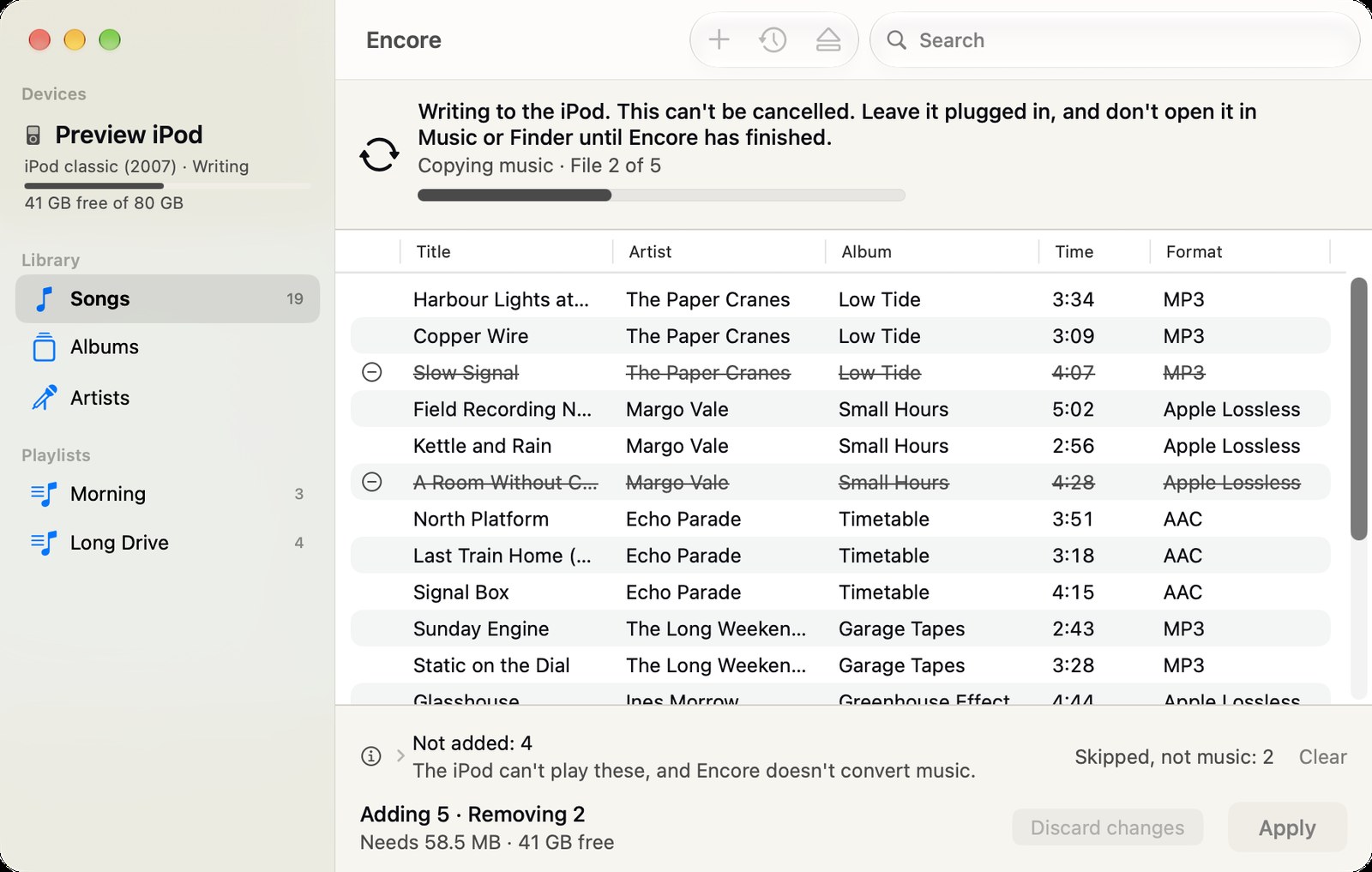
Encore writing to a sample iPod: a progress bar, file 2 of 5, and a notice to leave the iPod plugged in and keep Music and Finder away from it until the write has finished.
EncoreWriting
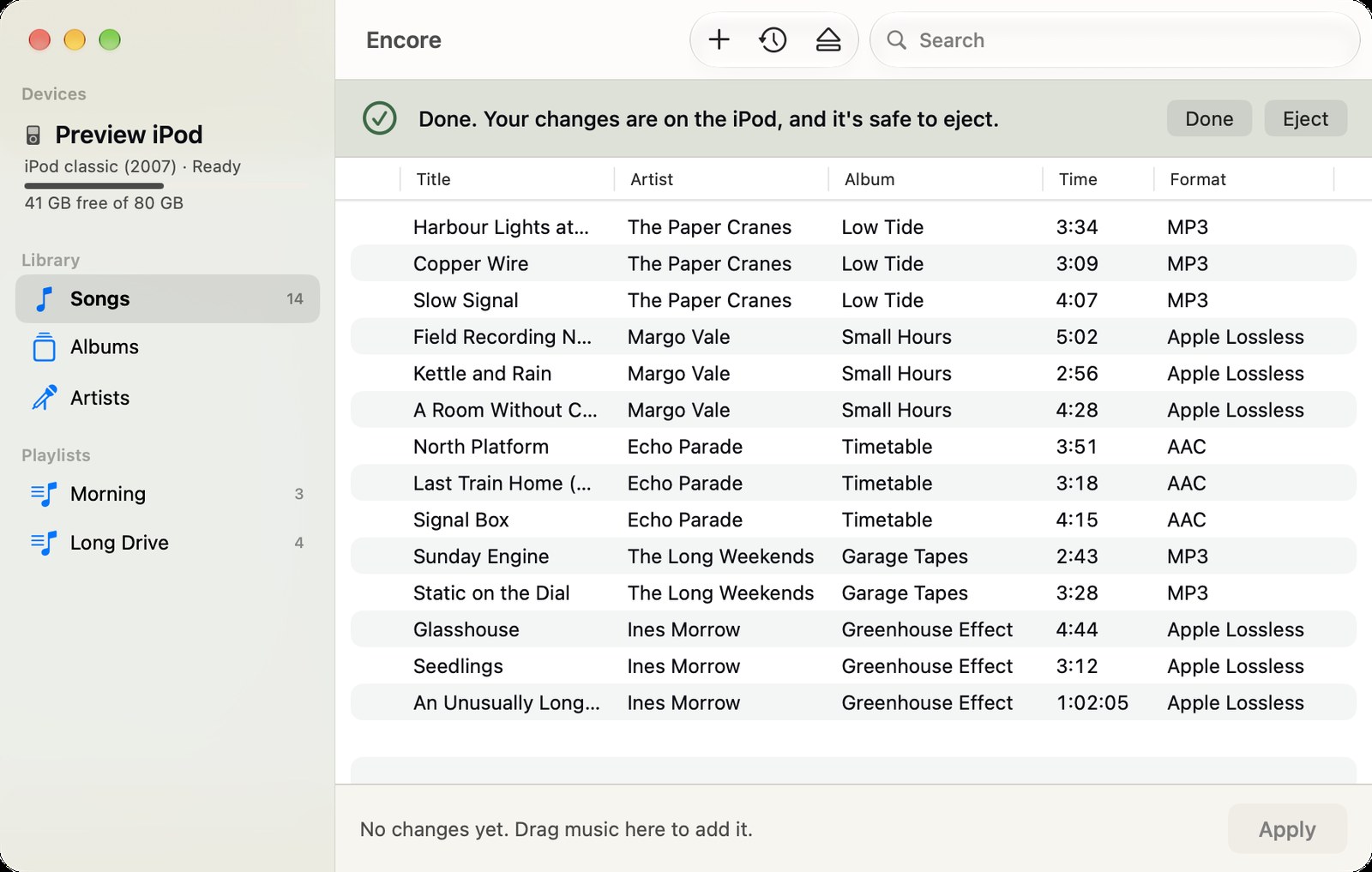
Encore after a write: a banner saying the changes are on the iPod and it is safe to eject, with Done and Eject buttons, above the updated song list.
EncoreSafe to eject
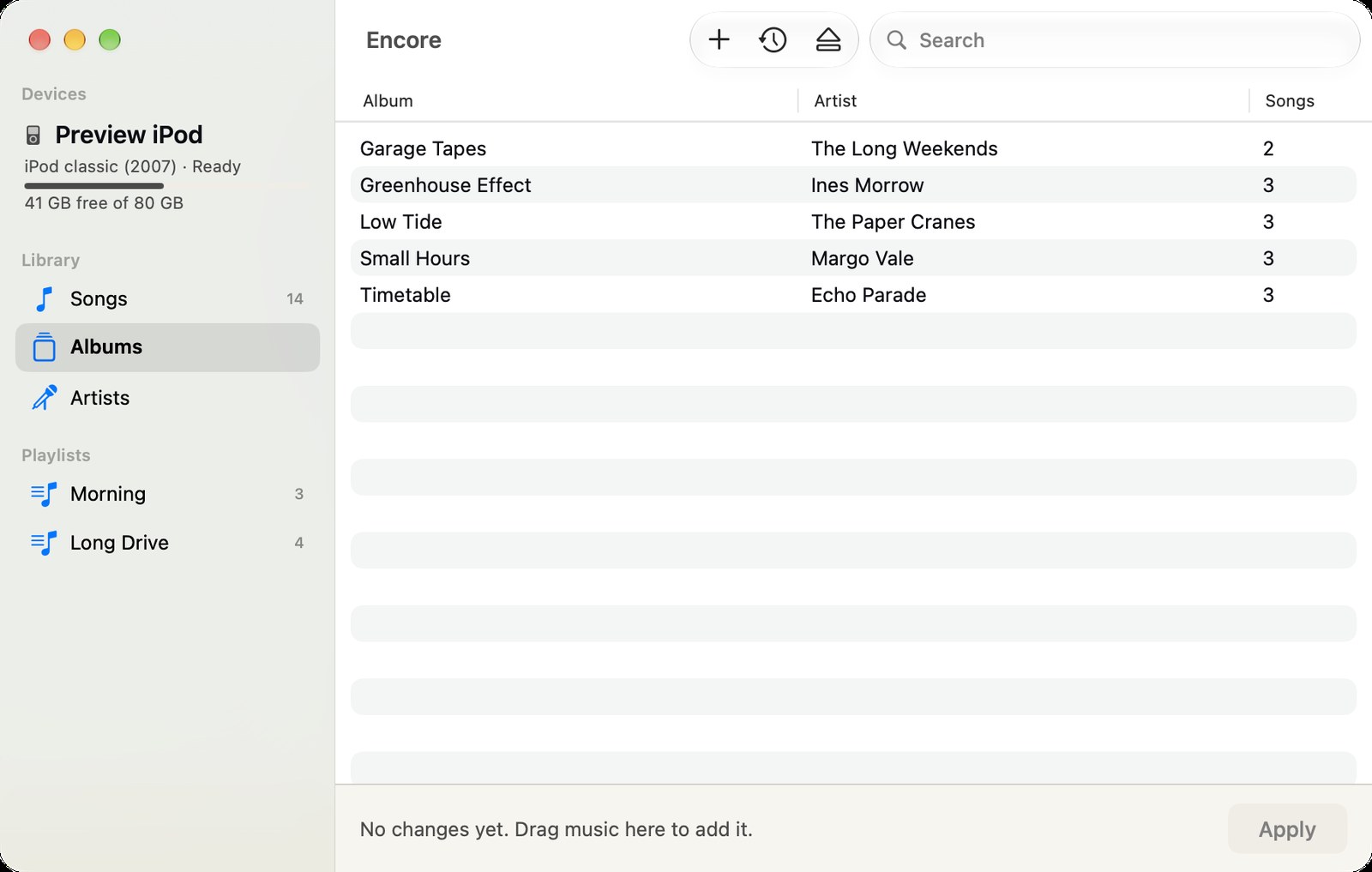
The albums on a sample iPod in Encore, each with its artist and number of songs, and the iPod’s model, capacity and free space in the sidebar.
EncoreAlbums
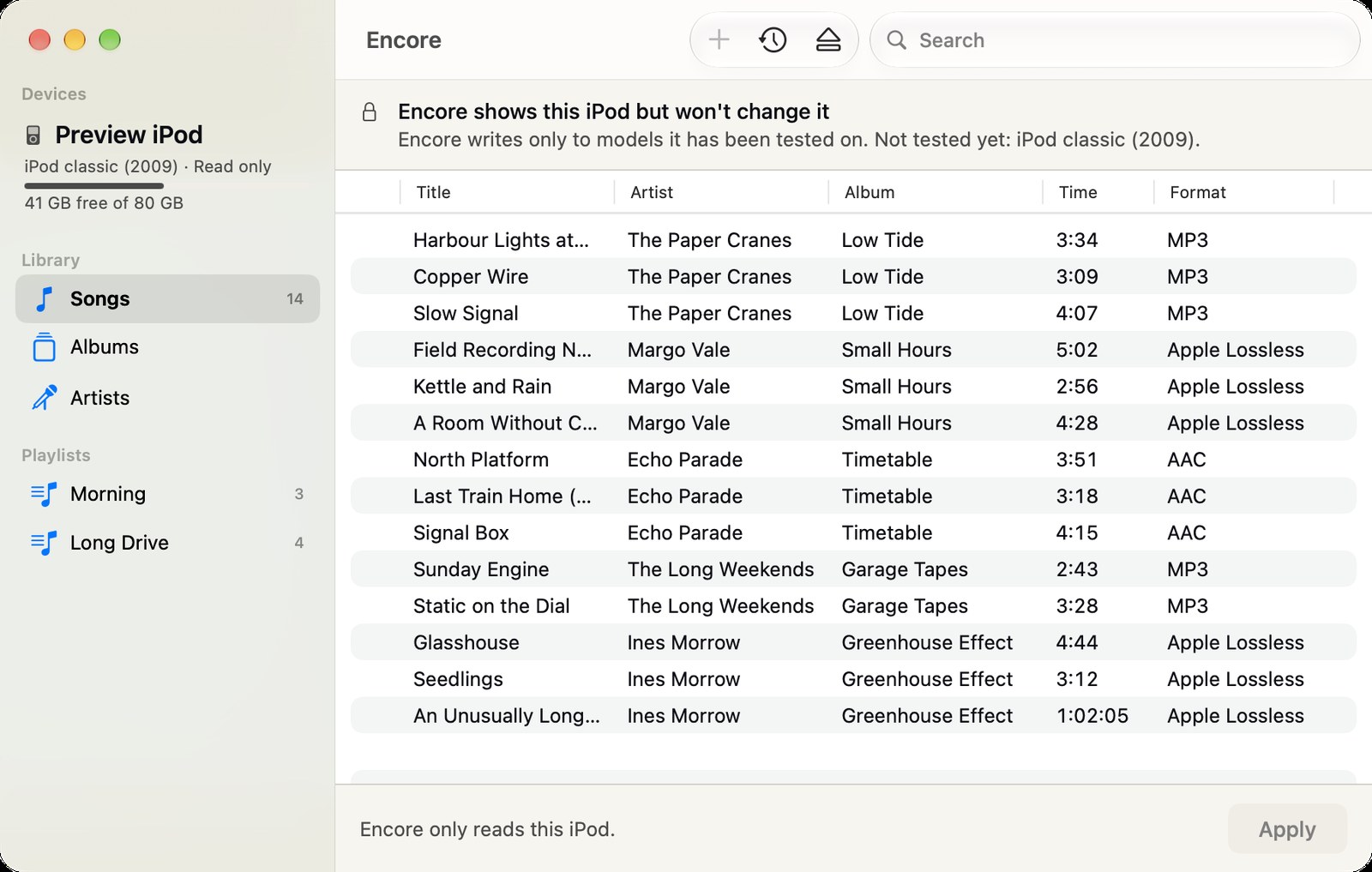
Encore showing a sample iPod classic (2009) read-only, with a banner explaining that Encore writes only to models it has been tested on.
EncoreRead only

What you can do

With Encore: plug in a 2007 iPod classic and see what is on it. Drag in MP3, AAC, Apple Lossless, AIFF or WAV (up to 16 bits) files, remove songs, make playlists, then press Apply. The iPod’s database is backed up on the iPod before the first write, and Encore can restore a backup.

With Kanora for Mac, once it ships: choose the iPod once in a Finder panel, then use Add to iPod on an album, an artist or a playlist. FLAC albums go on as their MP3 copies when Kanora has made them.

Why it matters

Plenty of iPods still work, and some people would rather carry a device that only plays music. Music can still fill them, but only from Music’s own library.

Kanora already holds the library, with its tags, artwork and playlists. Filling the iPod from that same library saves keeping a second copy of the collection in another app.

Status

Experimental. Encore 0.1 is available to testers. It writes only to the 2007 iPod classic it was tested on, and treats other models it can identify as read-only. One known gap: a 2009 classic that does not report its year can be taken for a 2007 one. Closing that comes first.

iPod support in Kanora for Mac went through a 26-step test on a real iPod: 22 steps passed, 3 were skipped and 1 is still open. It is not in a released build yet. Artwork and play counts are planned, and other iPod models would be added one at a time, each after a test session on that model.